How to Convert Image to 3D Model for 3D Product Visualization
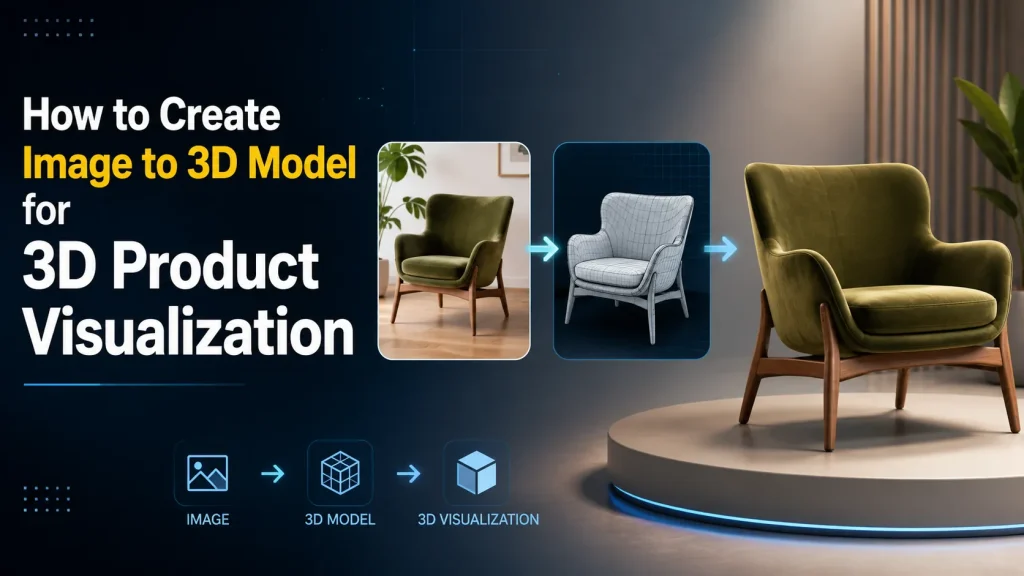
3D product visualization is quickly becoming a competitive advantage for e-commerce businesses. According to Shopify, some merchants using 3D product experiences have reported significant conversion improvements compared with traditional product images. Rebecca Minkoff also found that shoppers who interacted with a 3D model were 44% more likely to add a product to their cart and 27% more likely to complete a purchase, while customers who viewed products in AR were 65% more likely to place an order.
The good news is that creating interactive 3D experiences no longer requires expensive modeling software or professional 3D artists. Modern image to 3D model technology can transform product images into realistic 3D assets in minutes, making high-quality product visualization accessible to businesses of all sizes.
This guide shows you how to create high-quality 3D product visualization with Image to 3D AI, from a single product image to an interactive 3D model.
What Is 3D Product Visualization?
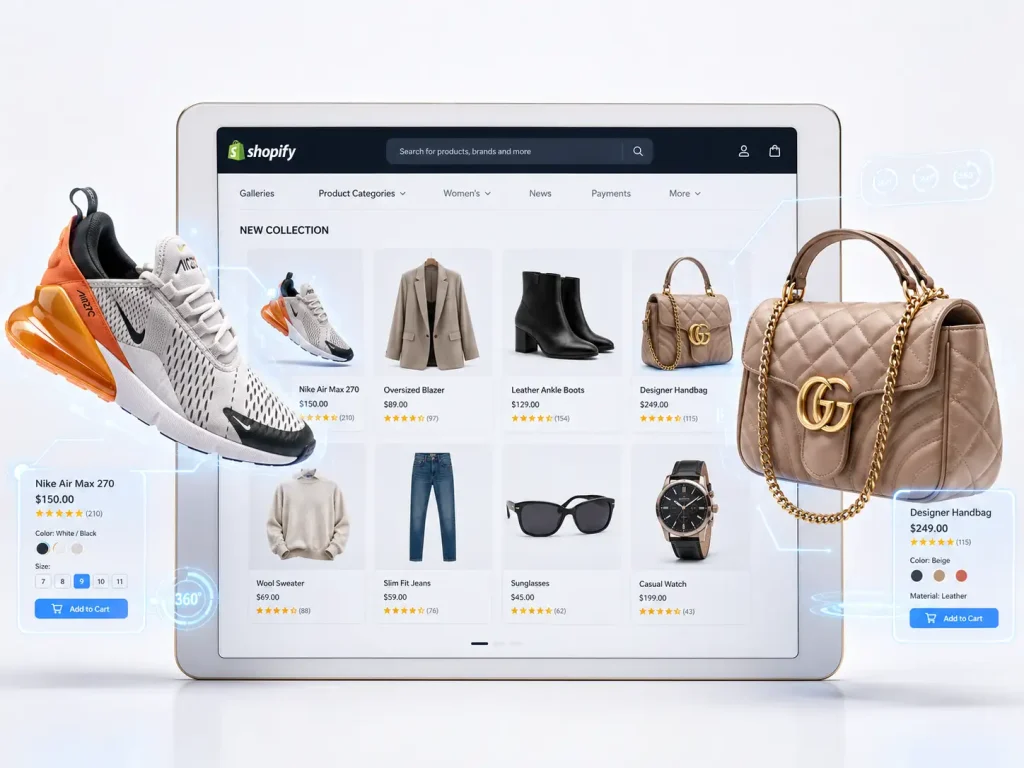
3D product visualization is the process of displaying products as interactive 3D models instead of traditional 2D images. Rather than viewing a product from only one or two fixed angles, customers can rotate, zoom, and inspect it from every perspective, creating a more engaging and realistic shopping experience.
A typical 3D product visualization experience combines a 3D model, an interactive 3D product visualizer, and sometimes AR technology. These elements help businesses create more engaging product pages, improve customer understanding, and provide a shopping experience closer to viewing a product in person.
Today, 3D product visualization is widely used in industries such as furniture, fashion, electronics, jewelry, and home decoration. As AI technology develops, businesses can now create these 3D experiences faster by converting product images into realistic 3D models.
How 3D Product Visualization is Refreshing Online Shopping
Shopify merchants using 3D commerce reported up to 94% higher conversion rates
Shoppers who viewed a product in 3D were 44% more likely to add it to cart
Customers who viewed products in AR were 65% more likely to make a purchase
3D visualization can help reduce return rates by improving purchase confidence
These statistics prove that interactive 3D experiences give shoppers the visual confidence to buy, improving conversion performance while reducing costly returns. Fortunately, you can easily achieve these results today by using an image to 3d model tool to create your product assets affordably.
Ways to Create 3D Product Visualization
🖥️Traditional 3D Modeling
Professional 3D modeling is one of the most common methods for creating product assets. Designers use software such as Blender, Maya, or 3ds Max to manually build accurate 3D models.
This method provides excellent control over details and materials, but it often requires specialized skills, expensive software, and significant production time.
🌄3D Scanning and Photogrammetry
⭐AI Image to 3D Model
Why Is AI Transforming 3D Product Visualization?
Traditional methods of creating 3D models can be time-consuming and expensive, especially for e-commerce businesses that need to create hundreds or thousands of product assets.
AI simplifies this process by reducing manual work and allowing businesses to generate 3D models directly from existing product images.
| Feature | Traditional 3D Modeling | ✨ AI Image to 3D Model |
|---|---|---|
| 💰 Cost | $50 - $500+ per single product | Free to start (cents per model later) |
| ⚡️ Speed | 3 to 7 days per item | About 1-2 minutes |
| 🔧 Barrier to Entry | Requires hiring experts or learning software | Zero skills needed—just upload a photo |
| 🖥️ Software | Multiple professional tools | Browser-based |
| ✅ Scalability | Hard to scale for large inventories | Easily convert hundreds of products instantly |
How to Create 3D Product Visualization with AI
Step1: Choose an AI Image to 3D Tool
| Tool | Best For | Key Features |
|---|---|---|
| Meshy AI | Game assets and professional workflows | Text-to-3D, image-to-3D, advanced customization |
| Sloyd | Developers and 3D creators | Procedural generation, asset customization |
| ✅ Image to 3D AI | E-commerce and fast product visualization | Free generation, fast workflow, easy image-to-3D conversion |
For e-commerce businesses, the best tool is not always the one with the most advanced modeling features. Instead, speed, accessibility, and scalability are often more important. Image to 3D AI helps businesses quickly transform product images into realistic 3D models without expensive software, professional skills, or complicated workflows.
Step2: Upload Your Product Images
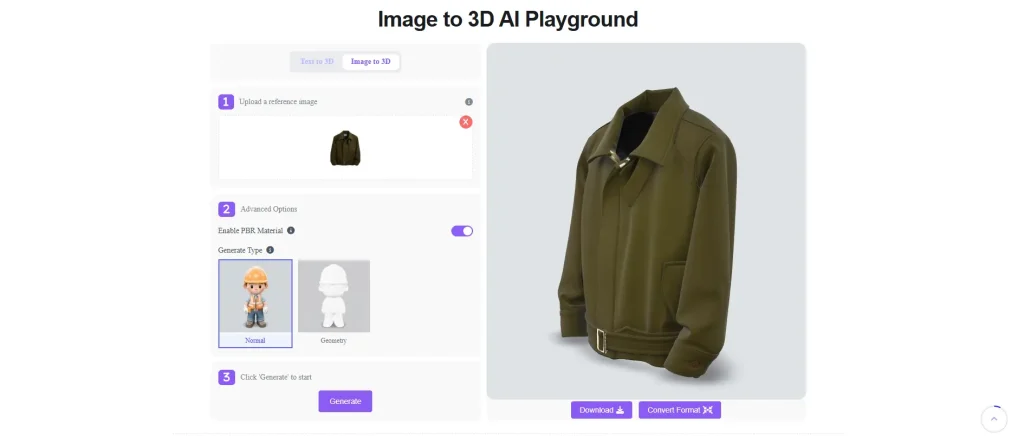
Step3: Generate and Export Your 3D Model
Once generated, you can directly download the generated 3D asset in the universally accepted GLB format—the industry standard for web displays and AR on platforms like Shopify.
If your specific store or workflow requires a different file type (such as OBJ or USDZ for Apple AR), you can easily use a 3D file converter to adapt the format, ensuring your asset is perfectly suited for any product showcase.
High-Converting Ways to Use 3D Models in E-Commerce
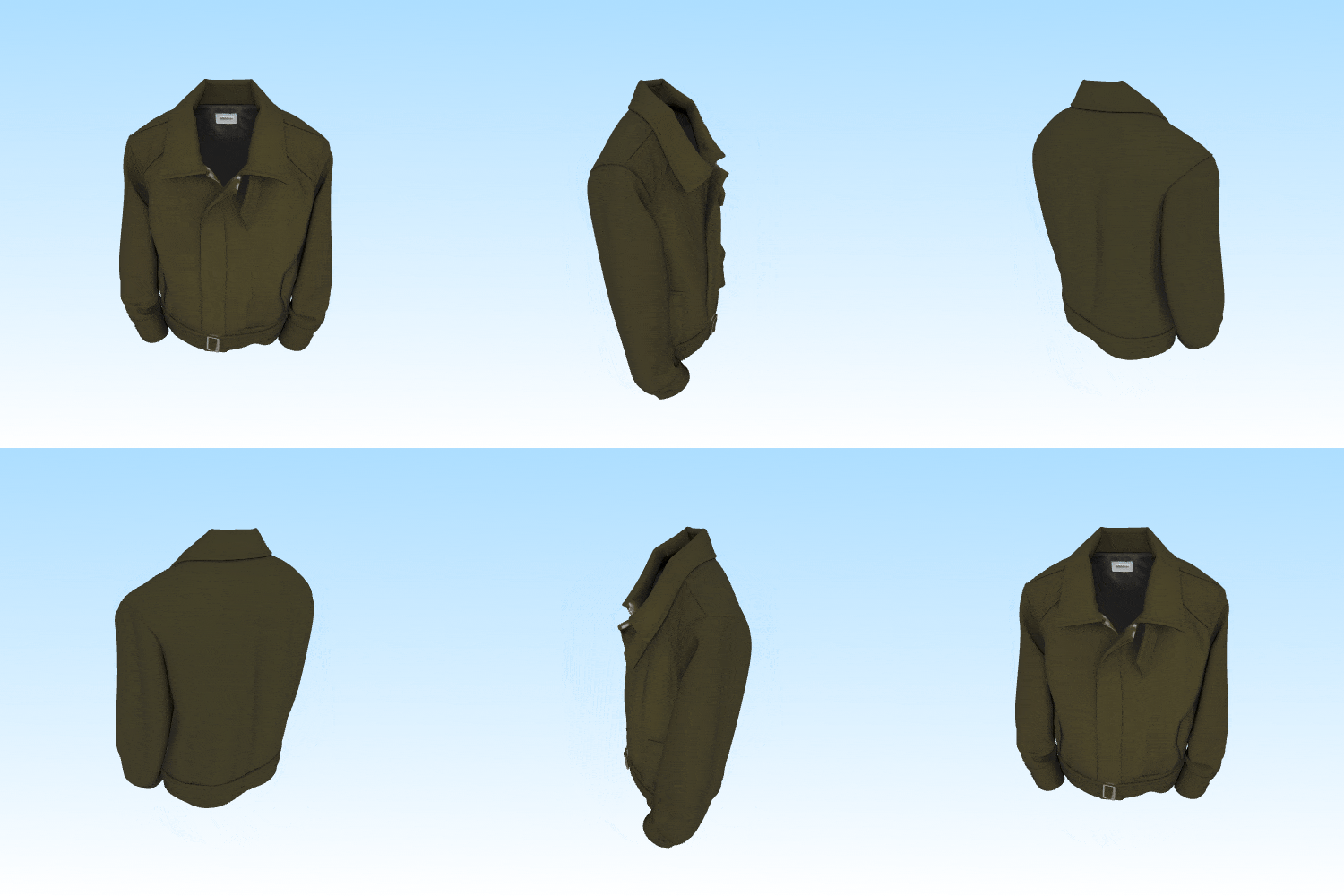
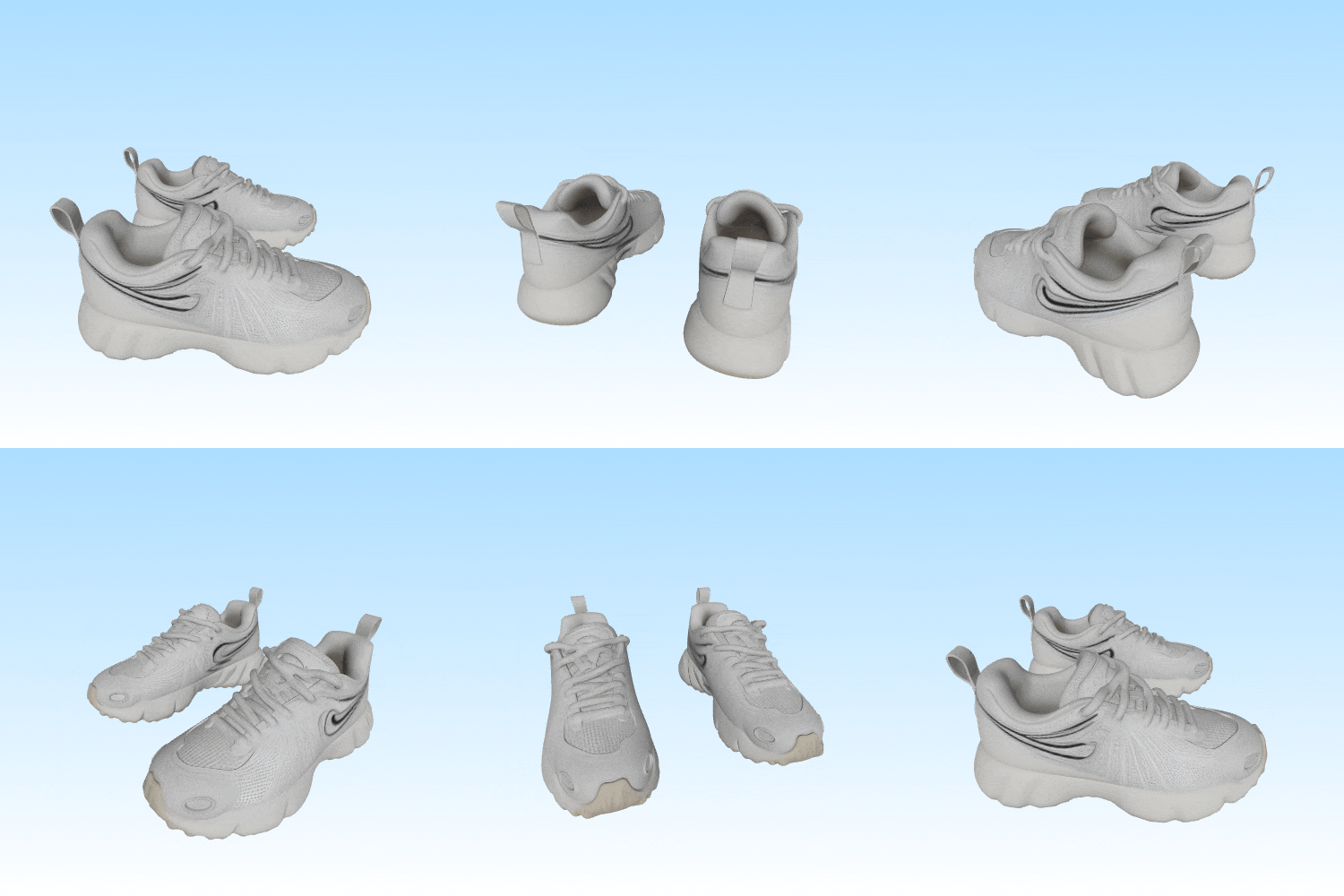
Web 360-Degree Interactive Displays
One of the biggest frustrations of online shopping is that customers can’t physically inspect products. Interactive 3D product visualization solves this problem by allowing shoppers to explore products from every angle.
Instead of looking at only two or three photos, customers can:
- Rotate products
- Zoom into details
- Examine textures
- View every angle
This creates a shopping experience that feels much closer to holding the product in person.
AR Try-On and Placement Experiences
Augmented Reality is becoming a standard feature across modern e-commerce. With AR, customers can place products directly into their real-world environment using their smartphones.
For example:
- See how a chair fits inside a living room
- Preview wall decorations
- Test home appliances
- Visualize decorative items
AR helps reduce uncertainty before purchase, which can significantly lower return rates.
As more online shoppers expect immersive experiences, AI-generated 3D models make AR much easier to adopt.
Social Media Short Video Marketing
A single 3D model can generate weeks of marketing content.
Instead of repeatedly photographing products, you can create:
- Rotating product animations
- TikTok product showcases
- Instagram Reels
- YouTube Shorts
- Product launch videos
- Dynamic advertisements
Because the same 3D asset can be rendered from unlimited camera angles, marketers gain much greater creative flexibility.
This also keeps branding consistent across every platform.
Pro Tips for the Best AI 3D Results
To get clean, professional 3D results every time, keep these quick tips in mind when selecting your input image:
- Use High-Resolution Photos
The AI reconstructs fine details from pixels. Upload images at least 1024×1024 to capture textures, edges, and surface details accurately. Avoid screenshots or heavily compressed files—they strip away the information the AI needs. - Shoot Against a Clean Background
A solid white or transparent background helps the generator isolate the product from its surroundings. Busy or cluttered backgrounds often confuse the AI and lead to messy edges or floating artifacts in the final model. - Light the Product Evenly
During our testing, products photographed under soft lighting produced cleaner edges and more consistent textures than images taken under harsh direct sunlight. Harsh shadows or extreme glare can bake unwanted dark spots into the texture. If you’re shooting at home, try positioning the product near a window on an overcast day, or use a simple light tent. - Choose the Right Angle
A front-facing shot or a slight 45-degree angle usually gives the AI enough shape information to build a well-rounded model. Avoid extreme top-down or profile-only shots, as they provide less depth reference. - Capture the Full Product
Make sure the entire item is visible without being cropped at the edges. If parts of the product are cut off, the AI has to guess what’s missing, which often produces distorted geometry. - Avoid Transparent or Reflective Surfaces When Possible
Clear glass, mirrors, and highly reflective surfaces are still challenging for AI reconstruction. If your product has these elements, try using a matte reference photo or expect to do some light manual cleanup afterward.
Conclusion
As online shopping continues to evolve, interactive 3D content is becoming an important part of the customer experience. Whether you’re selling furniture, electronics, fashion accessories, or handmade products, 3D product visualization helps shoppers understand products more clearly and purchase with greater confidence.
Fortunately, creating professional 3D assets no longer requires expensive software or specialized modeling skills. With Image to 3D AI, you can generate high-quality product models from a single image in just a few minutes.
If you’re searching for an image to 3D model free solution that is fast, beginner-friendly, and suitable for e-commerce, Image to 3D AI offers an efficient way to build interactive product experiences, support AR shopping, and create engaging marketing content—all from one simple workflow.
Start converting your product photos into professional 3D models today and give your online store a competitive edge.