3D AI Studio vs Image to 3D AI: Best AI 3D Tool for 2026
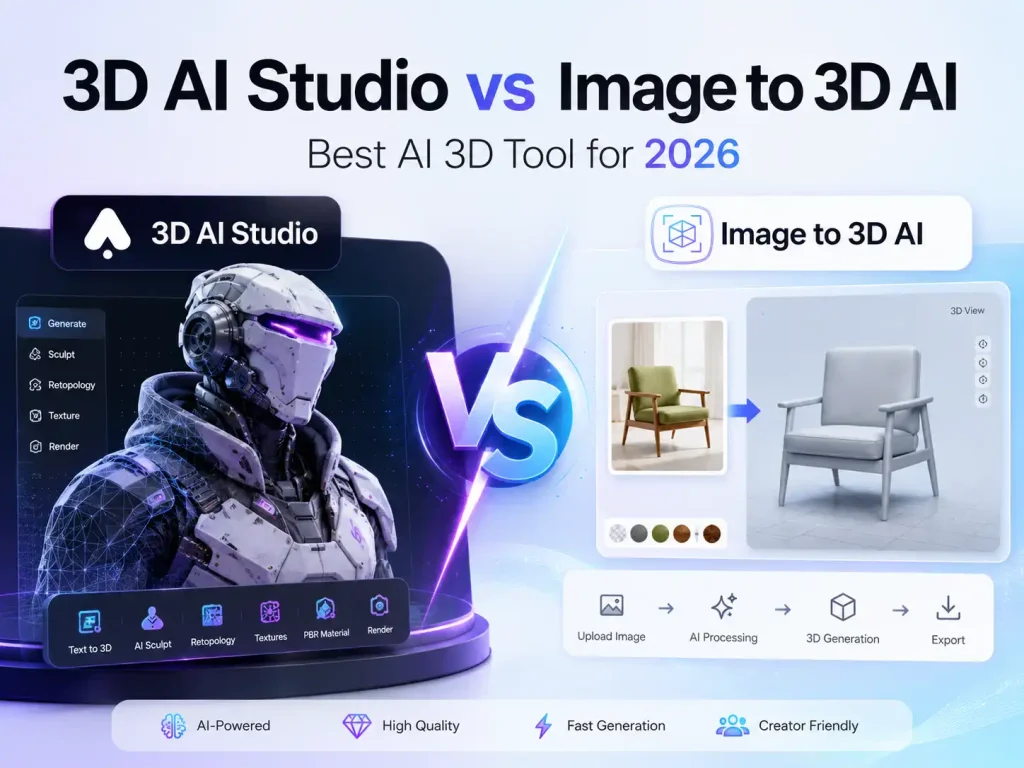
The landscape of 3D asset creation has shifted dramatically. We have officially moved past the era of “novelty AI texturing” and entered a phase where generative AI must deliver production-ready assets. Today, 3D artists, game developers, and eCommerce brands no longer ask if AI can build a 3D model—they ask how fast it can generate a clean, usable mesh with accurate textures.
However, as the market matures, a clear divide has emerged between two philosophies: all-in-one multi-model platforms and hyper-focused dedicated pipelines.
In this comprehensive 2026 guide, we pit 3D AI Studio (the aggregator) against Image to 3D AI (the specialist) to see which tool deserves a place in your professional workflow.
Image to 3D AI vs 3D AI Studio: Head-to-Head Comparison
⚡ Image to 3D AI
Choose Image to 3D AI if your production requires clean geometry, high-fidelity texture quality, fast design loops, precise topology control, and specialized Smart Mesh generation for game-ready workflows—delivering assets that integrate natively with Blender, Maya, Unity, Unreal Engine, Godot, Cocos, Bambu Studio, and Cura.
-
✅️Flexible Mesh Output
-
✅️PBR Material Support
-
✅️Lightweight GLB Export
-
✅️Built-in 3D Viewer
-
✅️Universal File Converter
⚠️ 3D AI Studio
Choose 3D AI Studio if your focus is lightweight AI 3D experimentation and a simple generation experience.
-
❌ Good for lightweight AI 3D experimentation and simple generation.
-
❌ As a multi-model aggregator, it lacks granular, low-level parameter control for deep asset fine-tuning.
-
❌ The exported models consist of messy triangle meshes that require significant manual retopology for production pipelines.
-
❌ HD outputs frequently suffer from surface roughness and jagged edges on intricate or thin details due to third-party backend limitations.
-
❌ It functions purely as a static asset generator, lacking any native rigging or animation workflows.
-
❌ The image-to-3D workflow struggles with complex lighting or crowded backgrounds, often leading to severe backside distortions.
-
❌ High-definition generations and refinements consume credits rapidly, easily causing user budget anxiety during trial-and-error.
📊 Feature-by-Feature Scorecard: Core Technical Performance
💰Pricing Structure & Value: Cost-Effectiveness in Production
When integrating AI into a professional 3D production pipeline, budget predictability is just as critical as technical performance. A tool must not only generate high-quality assets but also offer a scalable cost structure that aligns with tight project timelines and volume requirements.
- 3D AI Studio operates on a complex, multi-tiered subscription plan. Because they host multiple external AI engines, their platform overhead is high. Users often experience “credit anxiety,” as different models consume different amounts of monthly credits, and advanced features quickly drain your allowance.
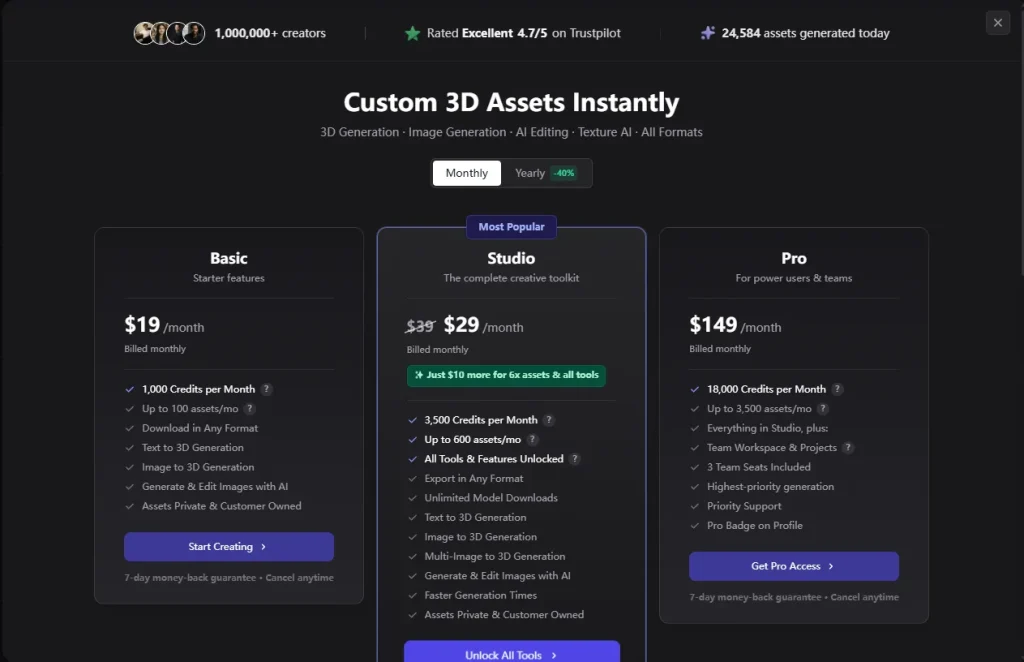
- Image to 3D AI champions a transparent, flat-rate approach. There are no hidden tiers or surprise credit multipliers. You get a generous free allowance to test your assets, and the premium plans offer highly affordable, predictable pricing designed for high-volume asset generation.
Why Image to 3D AI Outclasses 3D AI Studio in 2026
A Streamlined, Production-Ready Workflow
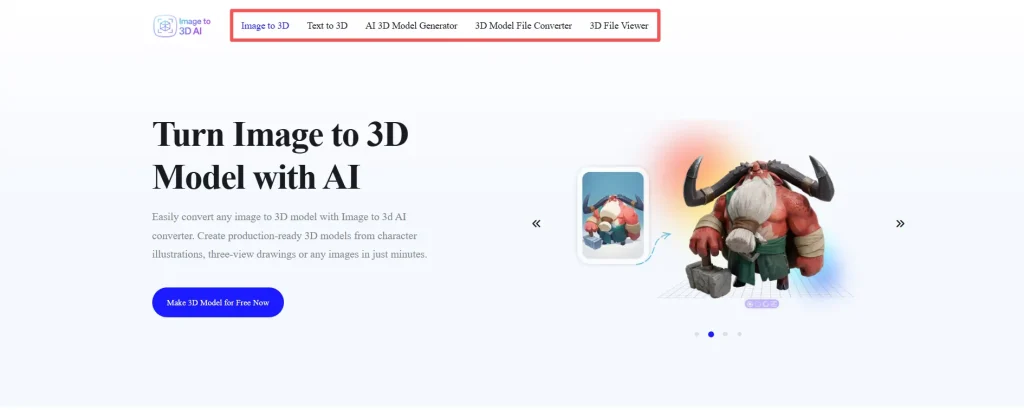
3D AI Studio often forces you into a fragmented workflow: generate a model with one engine, try to fix it with another, and jump through hoops to export it.
Image to 3D AI offers an instantaneous, closed-loop pipeline: Input ➔ Instant Generation ➔ High-Fidelity Interactive Preview ➔ Clean Export. It eliminates the middleman, allowing you to go from a flat 2D concept sketch to an engine-ready file seamlessly.
Zero Learning Curve for Rapid Iteration
Studio-Grade PBR Materials with Tailored Dual-Type Modeling
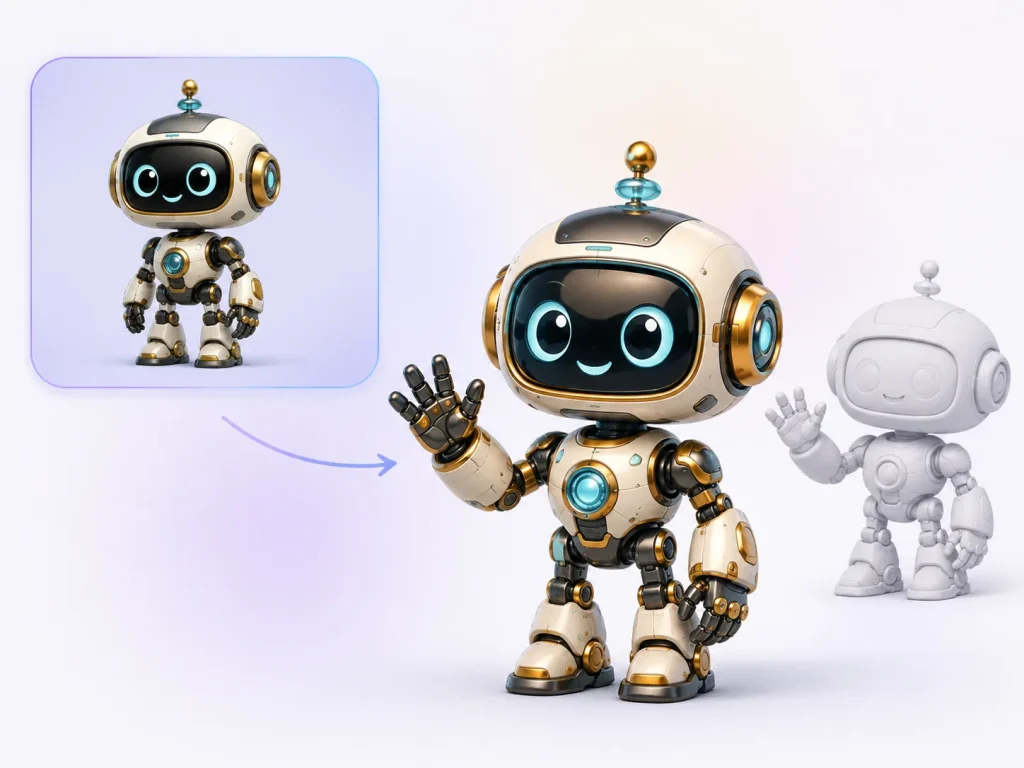
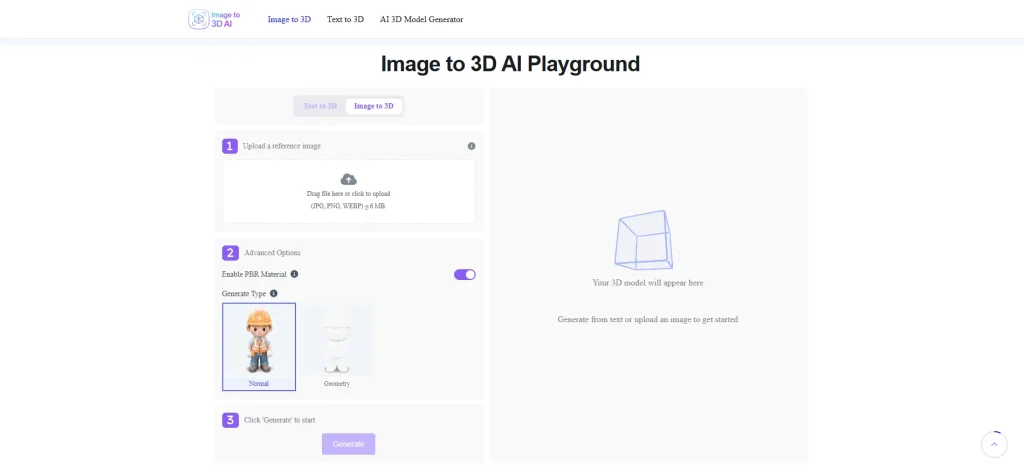
Image to 3D AI provides a highly specialized Dual-Type generation engine paired with native PBR material outputs. Recognizing that different 3D projects have vastly different pipeline requirements, the tool allows creators to choose between two distinct generation modes depending on whether they need ultra-fast look-development or production-ready topology:
- Normal Mode (Speed & Texture Optimization): Optimized for rapid asset iteration, concept visualization, and real-time previewing. This mode leverages a highly efficient neural network to generate balanced meshes with high-fidelity PBR texture maps instantly, making it ideal for fast-paced design loops.
- Geometry Mode (Clean Topology & Structural Precision): Tailored specifically for game-ready pipelines and DCC integration. This mode prioritizes clean, organized mesh generation with sharper edges, accurate thickness prediction, and a highly structured layout that minimizes the need for manual retopology in software like Blender.
Combined with automated UV unwrapping that cleanly maps your textures with minimal distortion, both modes export directly to industry-standard formats, allowing you to drop the assets straight into Unity, Unreal Engine, or 3D printing workflows.
🔍 Comparative Showcase: The Same-Image Test

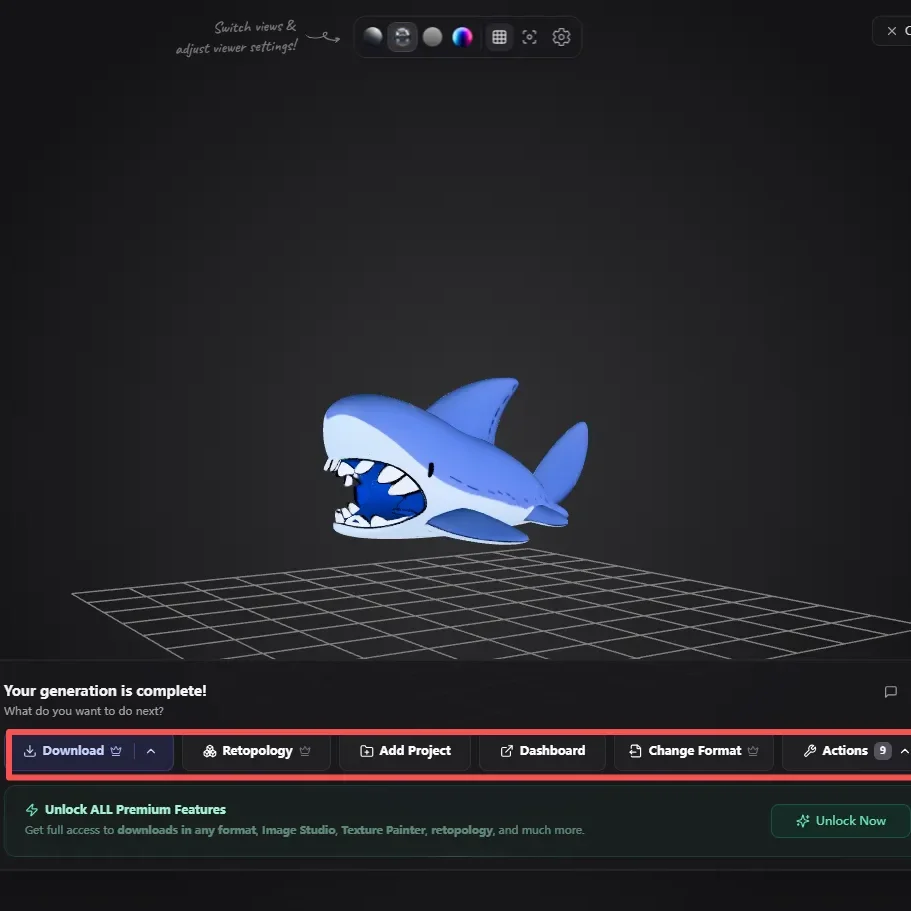

3D AI Studio Output (Multi-Model Aggregator)
- Color & Style: Generated using the Hunyuan 3.0 model. While the 3D shape is decent, the colors feel dull and flattened. It fails to capture the bright, clean, cel-shaded art style of the original 2D image.
- Workflow Barriers: As shown in the software interface, crucial post-generation options like Download, Retopology, and Change Format are locked behind a paid plan. Free or trial users cannot download or use the model outside of the browser web preview.
Image to 3D AI Output (Dedicated Specialists)
- Color & Style: The dedicated texture engine captures the artwork beautifully from the front view. The final 3D asset fully retains the vibrant colors, clean cartoon outlines, and exact look of the original 2D character drawing.
- Generation Detail: It is worth noting from an objective standpoint that the back-view generation has minor accuracy limitations—the textures on the reverse side are less restored, resulting in missing eye details on the back. However, the front-facing fidelity remains exceptionally high.
- Smooth Workflow: There are no unexpected paywalls for core functions. Users can freely download standard 3D formats using their generation credits, allowing you to import the model directly into Blender, Unity, or game engines right away.
🏆 Final Verdict: Dedicated Tool vs All-in-One Platform
- Choose Image to 3D AI if: You value speed, simplicity, and cost-effectiveness. It is the ultimate productivity tool for concept artists, game developers, indie creators, and eCommerce studios who need to transform 2D imagery into clean, high-fidelity, PBR-textured 3D models instantly.
- Choose 3D AI Studio if: You are an enterprise researcher who wants to spend time experimenting with multiple competing backend AI models and don’t mind a steeper learning curve or higher subscription costs.
Help Center
Frequently Asked Questions
Image to 3D AI generates and exports directly in GLB format. However, the platform features a seamless, one-click format converter built right into the workflow. With a single click, you can instantly convert your model into 9 other industry-standard formats, including OBJ, STL, and 3MF, ensuring perfect compatibility with Blender, Unity, Unreal Engine, and 3D printing software.
Yes. Unlike generic platforms that stretch textures unpredictably, Image to 3D AI features an intelligent, automated UV unwrapping system that maps textures cleanly with minimal distortion.
Absolutely. Models generated through Image to 3D AI's premium tiers come with full commercial rights, making them perfect for indie game development, marketing assets, and commercial 3D printing.
Yes. Image to 3D AI is completely free to use. Users do not need to purchase or spend any credits to generate models, allowing creators to fully test the front-view styling, texture mapping, and built-in format conversion pipeline at no cost.