Polygon Reducer & Mesh Simplifier
Simplify Mesh Models Online Free
A Mesh Simplifier that reduces polygon and triangle counts while preserving model details. Adjust reduction targets, preserve UVs, and create lighter 3D models for smoother workflows.
How to Simplify a 3D Mesh Online
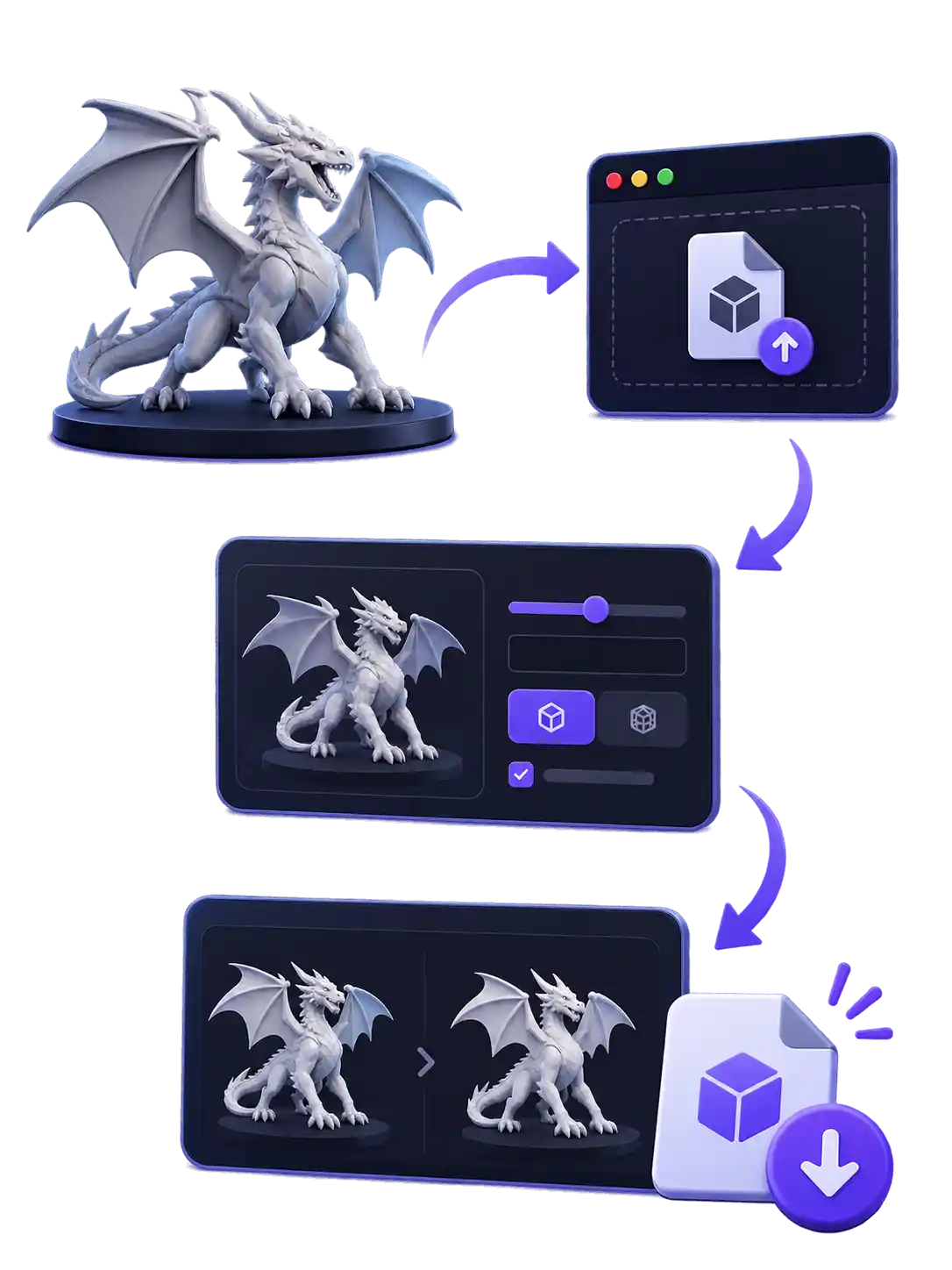
Reduce polygon counts in a few simple steps with our online mesh simplifier. Upload your model, choose a reduction target, customize simplification settings, and download the optimized mesh.
Upload a 3D model in GLB, GLTF, OBJ, FBX, or STL format. Your original model will appear in the 3D preview, where you can simplify mesh.
Choose between Percentage and Face Count to control how much your mesh is simplified. Adjust the reduction percentage or enter a target face count to match your project requirements.
Select a simplification mode based on your needs. Use Preserve UVs to prioritize keeping the original UV layout, or choose Prioritize Target to focus on reaching your desired polygon count.
Compare the original and reduced models using the preview and model statistics. Check changes in triangle count, vertices, and file size, then select your output format and download the optimized model.
Use Case
Mesh Simplifier Settings for Different 3D Models
Find the right polygon count for your 3D models based on their intended use. Explore practical mesh simplification guidelines for games, AR and web experiences, and 3D printing.
Games
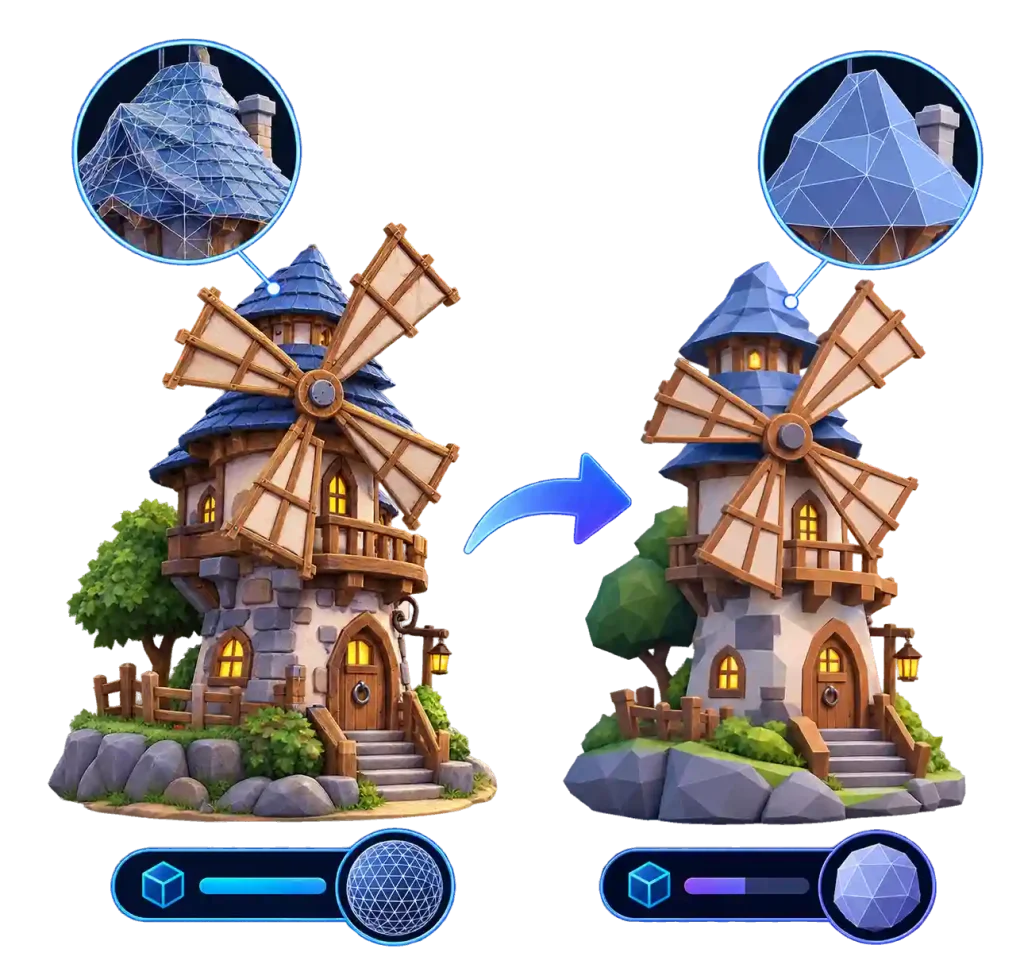
Optimize game assets for different platforms with practical polygon budgets. Reduce unnecessary geometry while keeping essential model details.
-
Mobile / Web: 5K–20K
-
PC / Console: 20K–50K
-
VRChat Avatars: 7.5K–70K

AR & Web
Create lightweight 3D models for browser-based viewers and augmented reality. Keep polygon counts manageable for faster loading and rendering.
-
Apple AR Quick Look: ~100K
-
Mobile AR / Web: ~150K
-
3D Banner Ads: ~30K
3D Printing
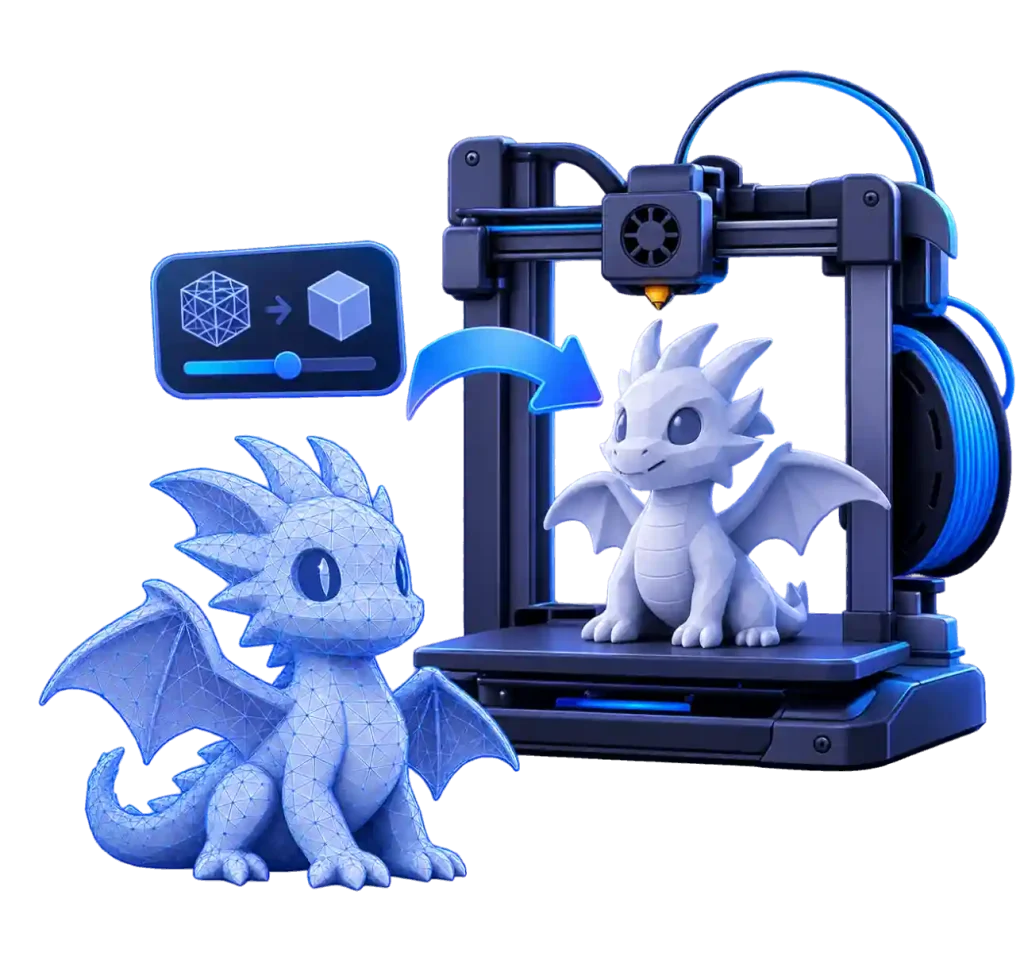
Use this STL simplifier to reduce complex STL models while preserving essential geometry. Focus on print quality and mesh integrity rather than polygon count alone.
-
Polygon Count: No Fixed Limit
-
Upload Limits: Check Service Caps
-
Print Quality: Watertight Mesh
Advantages
Why Choose Our Online Mesh Simplifier?
Simplify 3D models with flexible polygon reduction controls. Reduce mesh complexity, preserve UVs, and optimize models for games, 3D printing, and web applications.
-
Flexible Polygon Reduction Controls
-
Preserve UVs During Simplification
-
Compare Mesh Statistics Instantly
-
Support for Multiple 3D Formats
-
Free Online Mesh Simplification
Compare
Decimation vs. Retopology vs. Compression
Understand how polygon reduction compares with topology reconstruction and file compression to choose the right method for your workflow.
| Aspect | Decimation This Tool | Retopology | File Compression |
|---|---|---|---|
| Main Purpose | Reduce polygon count | Rebuild mesh topology | Reduce file size |
| Geometry | Simplifies existing geometry | Creates a new topology | Usually keeps geometry unchanged |
| Polygon Count | Reduced | Reconstructed | Usually unchanged |
| Edge Flow | Generally inherited from original mesh | Can create cleaner edge flow | Unchanged |
| UV Layout | Can be preserved depending on method | Often requires new UV mapping | Unchanged |
| File Size | Can decrease | Depends on new topology | Directly reduces storage size |
| Best For | Lightweight 3D models | Animation, deformation, production-ready topology | Storage and file transfer |
Help Center
Frequently Asked Questions about Mesh Simplifier
Find answers to common questions about our online polygon reducer, including mesh decimation, STL simplification, supported formats, UV preservation, and file optimization.
Decimation is a mesh optimization technique that reduces the number of polygons or triangles in a 3D model while attempting to preserve its overall shape. It helps create lightweight 3D assets for games, web applications, AR experiences, and other workflows.
A mesh simplifier reduces the polygon count of an existing 3D model while retaining its general geometry and topology. Retopology rebuilds the mesh with a new topology, often creating cleaner edge flow and more organized geometry.
Yes, you can use our online mesh simplifier for free to reduce polygon counts and optimize 3D models. Upload a supported model, adjust your reduction settings, and download the simplified result.
You can upload 3D models in GLB, GLTF, OBJ, FBX, and STL formats. You can also choose an output format when downloading your simplified model.
Polygon reduction can affect UV coordinates and texture details, especially with aggressive simplification settings. Our Preserve UVs mode prioritizes maintaining the original UV layout during mesh simplification.
Reducing polygon counts does not always result in a significantly smaller file. Textures, materials, embedded assets, and file compression can all affect the final file size.
Please refer to our Privacy Policy for details about uploaded file handling, data storage, and deletion. Review the applicable data protection practices before uploading confidential or proprietary models.