Meshy vs Image to 3D AI: Which AI 3D Model Generator is Better?
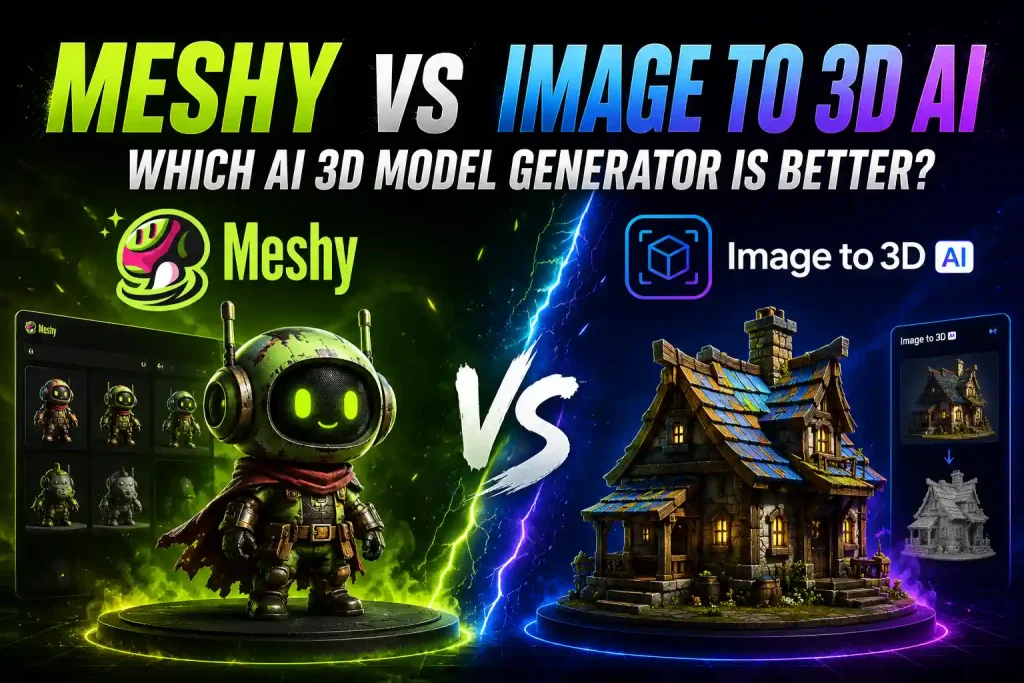
The world of AI 3D generation is exploding. However, as the technology matures, we are seeing a clear divergence in the market. Some tools are evolving into comprehensive suites focused on flexibility and texturing control, while others function as “one-click” pipelines optimized for pure speed and photo-reconstruction.
Today, We won’t bore you with complex algorithmic theories or neural network jargon. Instead, we are putting Meshy head-to-head against the new Image to 3D AI to see which AI 3D model generator works best for your specific workflow—whether you are building game assets, preparing files for 3D printing, or looking for rapid image-based reconstruction.
By the end of this guide, you’ll know exactly which tool fits your specific workflow, creative style, and budget.
⚡️Meshy vs Image to 3D AI: Head-to-Head Comparison
All comparisons below were conducted using the free tiers of both platforms.
| Comparison Feature | Meshy AI | Image to 3D AI |
|---|---|---|
| Cost & Free Trial | 🎁 Free Trial Available Provides 100 renewal credits/mo; paid plans start at $16/mo. | ✅ 100% Completely Free No subscription required, zero credit limits. |
| File Downloading | ❌ Restricted Downloading generated models is locked on the Free plan. | ✅ Unlimited Full download access to all files for free. |
| Speed & Initial Quality | Fast but basic Free tier is fast but only outputs untextured whiteboxes. High-res takes 2–5 mins. | Balanced Takes 1–2 minutes for a fully completed, high-fidelity textured model. |
| Post-Generation Editing | ✅ Rich Options Supports re-texturing, voxel editing, and topology style adjustments. | ❌ None Fully automated straight output, no manual editing sliders. |
| External Mesh Support | ✅ Full Support Can upload custom 3D models just to paint textures via AI. | ❌ Incompatible Strictly generates new 3D assets from raw 2D images only. |
| Commercial Rights | Tier-Restricted Non-commercial (CC BY 4.0) on the Free trial tier. | 💼 Unrestricted Free commercial rights for all users out of the box. |
| Learning Curve | Mild Requires technical understanding of 3D pipelines. | Zero Completely beginner-friendly, point-and-click. |
| Best Suited For | Professional modelers seeking granular style modification and AI texture painting tools. | E-commerce visuals, rapid 3D printing prep, concept mockups, and cost-free workflow prototyping. |
What Is Meshy?
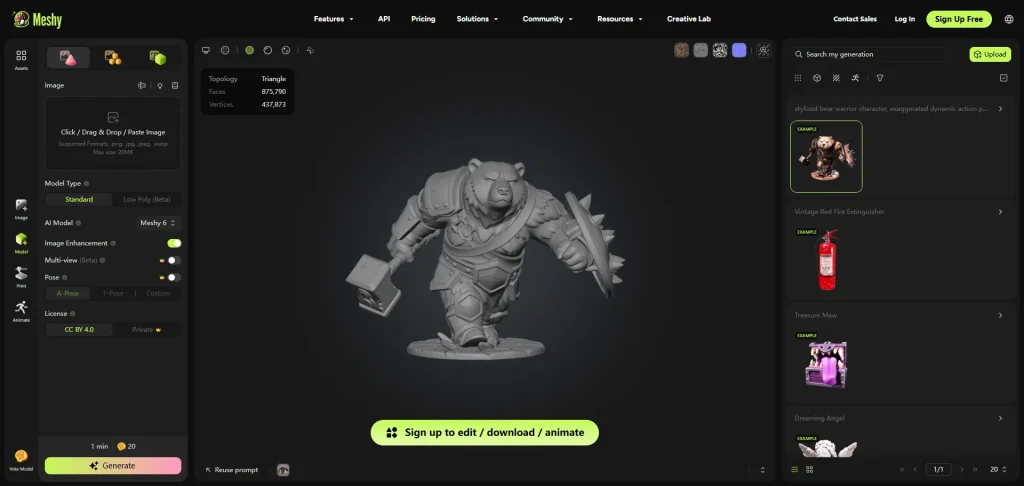
✅️Meshy AI Features
One of the reasons Meshy became so popular is that it offers more than simple image-to-3D generation. The platform includes a full set of tools for creating, editing, and optimizing 3D models for different creative workflows.
- Text-to-3D & Image-to-3D:
Standard generation pipelines that transform prompts or 2D images into 3D meshes within a few minutes. - AI Texturing:
You can import any existing 3D model (even those not made by Meshy) and use text prompts to generate high-quality PBR (Physically Based Rendering) texture channels, including base color, roughness, and normal maps. - Refine Mode & Voxel-to-3D:
Allows users to generate a quick, low-poly preview first, then spend extra credits to upscale it into a highly detailed high-poly model.
👤Target Users of Meshy
Meshy is designed for a wide range of creators, from beginners exploring AI 3D generation to experienced users working with game assets and creative projects. Its combination of fast generation and flexible editing tools makes it useful for different types of workflows.
- Indie Game Developers
- 3D Artists & Designers
- AR/VR Creators
- Users Familiar With 3D Workflows
❌️The Catch: Where Meshy Falls Short
No AI tool is magic, and Meshy is no exception. While it offers incredible control for designers, that power comes with its own set of trade-offs. If you are looking for a flawless, instant, one-click asset, you might run into a few roadblocks.
Here is what you need to keep in mind before diving into Meshy:
- Steeper Learning Curve: The interface includes technical terms like polycount, topology, and PBR channels, which can easily overwhelm absolute beginners.
- Cannot Download Generated Model: During my testing, Meshy generated the 3D asset quickly, but I was unable to fully download or export the final model for free.
- Credit-Heavy Refinement: High-resolution texture baking and mesh upscaling eat up credits fast, meaning free or low-tier plans run out quickly during continuous tweaking.
- Paywalled Commercial Rights: Models generated under the free tier are locked into a non-commercial license (CC BY 4.0). You must upgrade to a paid plan to legally use your assets for commercial projects.
💰Meshy Pricing Model
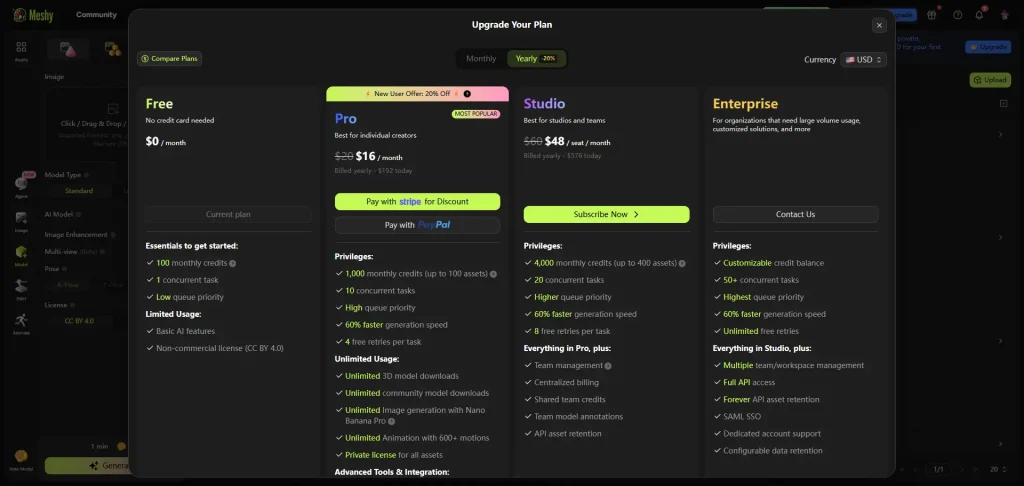
Meshy AI operates on a credit-based system that isn’t truly free if you want to use it seriously. While it does offer a free tier with 100 monthly credits to test the water, it comes with a major catch: you are locked into a slow queue, and all outputs carry a non-commercial license (CC BY 4.0).
To use your models for actual commercial projects, unlock faster generation speeds, and get enough credits for advanced PBR texturing, you’ll need to step up to their paid subscription tiers (starting around $16/month on an annual plan). If you do a lot of iterative tweaking, those free credits will disappear in a single afternoon.
🤔What Is Image to 3D AI?
While Meshy acts as a multi-step digital sculpting suite, Image to 3D AI is the ultimate shortcut. It functions like a “3D scanning camera” for the digital world. The core philosophy here is absolute automation and mathematical precision: you upload a single 2D image or simple text, click one button, and the AI takes care of the rest.
Instead of making you fiddle with complex menus or adjust manual parameters, our Image to 3D AI engine instantly translates a flat 2D picture or text into a fully volumetric, geometrically sound 3D object. It bypasses the traditional bottlenecks of modeling, allowing users to achieve “what you see is what you get” results within seconds.
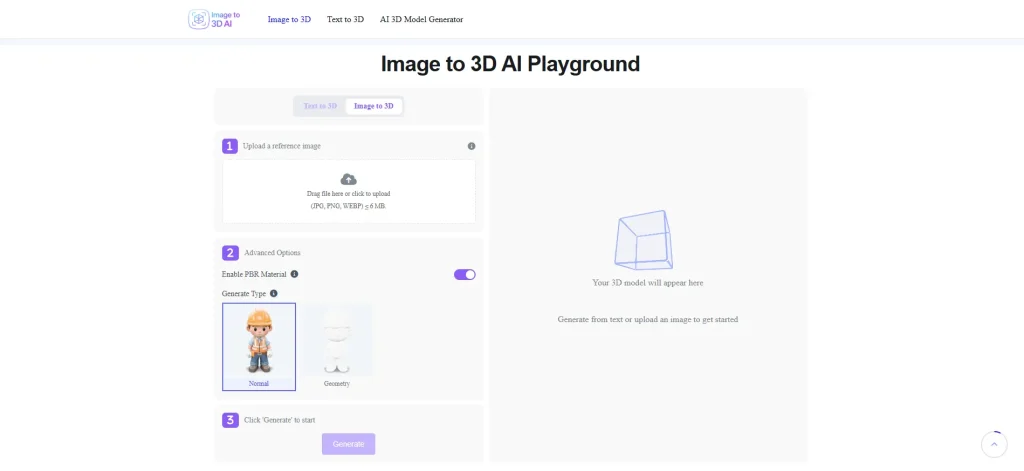
✅️Key Capabilities of Image to 3D AI
Upload an image, click generate, and let the AI do the heavy lifting. By cutting out hours of manual 3D modeling, our engine turns your 2D ideas into production-ready assets in seconds.
- Smart Shape Prediction: The AI instantly guesses and builds the hidden back and sides of any 2D image with clean, logical shapes.
- Unlimited Downloads & Free Commercial Use: Every generated model can be downloaded as many times as you like, with no restrictions or licensing limitations.
- 100% Automated Pipeline: No manual adjustments needed. Mesh creation, wrapping, and texturing all happen on autopilot in the background.
- True-to-Life Colors: The engine directly mirrors the exact colors, lighting, and details of your original photo onto the 3D model.
👤Target Users of Image to 3D AI
While Meshy is designed for professional 3D artists who want to spend hours tweaking sliders and nodes, Image to 3D AI is built for anyone who needs high-quality 3D assets without the technical headache:
- E-Commerce Sellers & Marketers: Businesses needing to quickly convert flat product photography into interactive, rotating 3D assets for online storefronts, Shopify modules, or augmented reality (AR) web viewers.
- 2D Illustrators, Comic Artists, & Graphic Designers: Creatives who need instant 3D props to drop into a canvas for perspective reference, lighting grids, or scene composition without opening complex software.
- Absolute 3D Beginners & Hobbyists: Users who don’t know (and don’t want to learn) technical jargon like normal maps, vertex weights, or quad topologies, but still want to see their 2D character designs brought into the third dimension.
💵Pricing Model: Image to 3D AI vs. Meshy
Pricing and licensing are where the gap between these two approaches widens significantly.
While Meshy relies on a strict credit-capped system and locks essential features—including faster queue priorities and commercial usage rights—behind a minimum $16/month annual paid subscription, modern standalone Image to 3D AI tools take a completely frictionless approach.
In fact, the platform is currently 100% free to use with absolute commercial freedom.
Creators can run daily generations and test complex asset pipelines without a credit card or monthly allowance running out. More importantly, there are no licensing traps or hidden paywalls; all generated models come with unrestricted commercial rights, meaning they can be used freely in commercial games, marketing materials, store listings, or physical 3D prints from day one. This makes it an incredibly low-risk, high-reward option for indie creators and small businesses alike.
👍Real-Life Comparisons
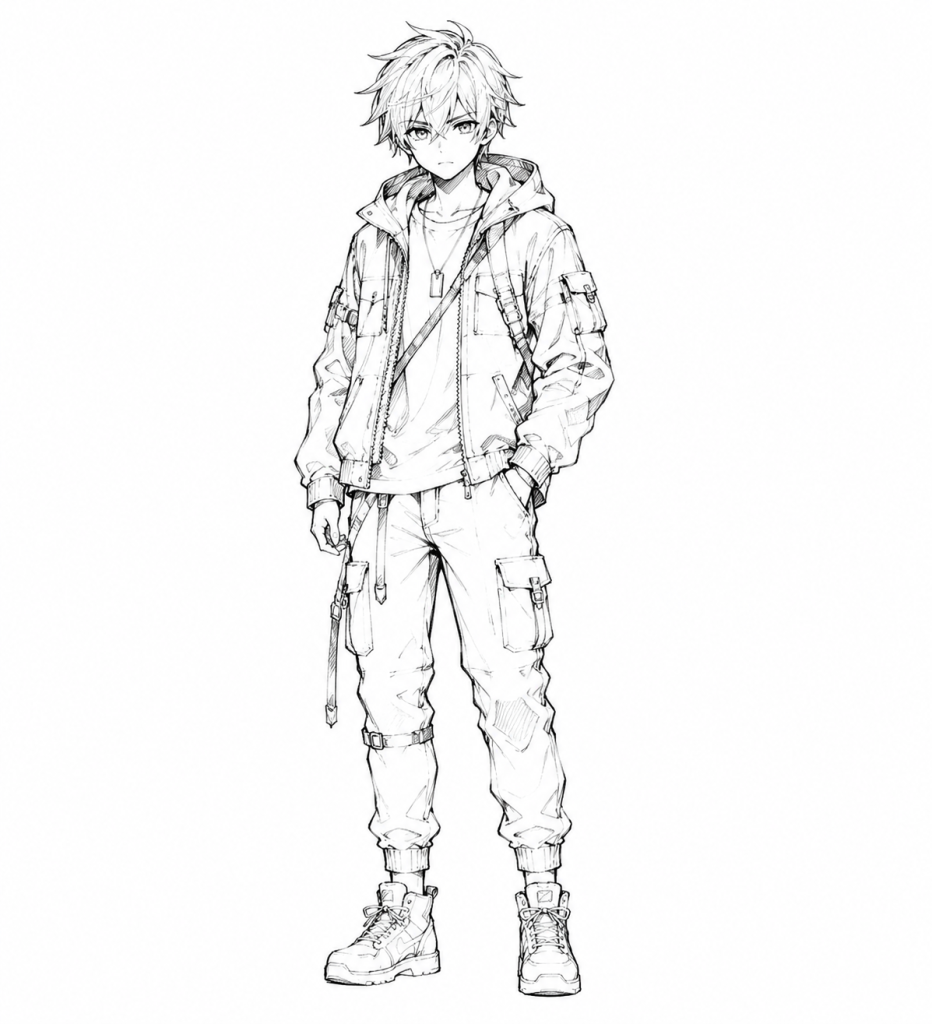
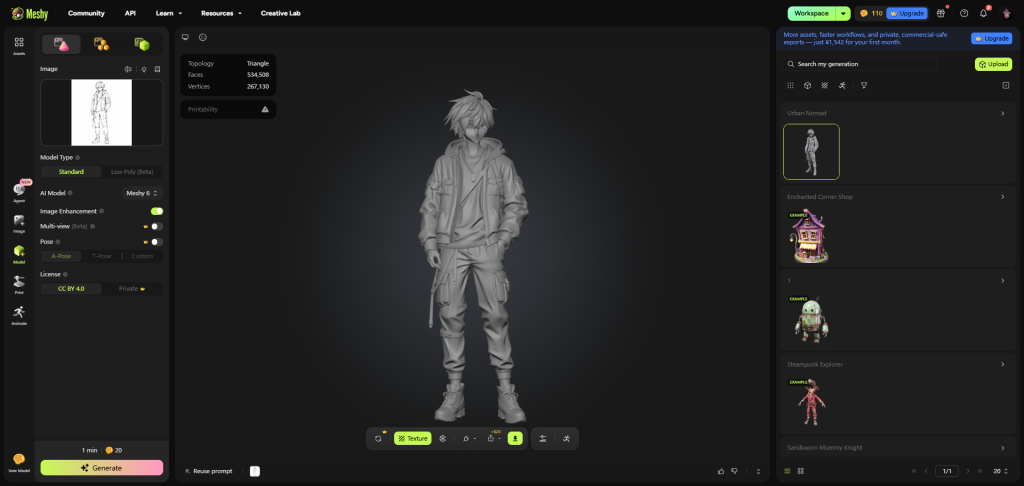
Meshy generated the model surprisingly fast (around 1 minute) with a decent overall mesh structure. However, facial accuracy struggled, resulting in noticeable eye distortion. Additionally, the final output could not be downloaded or exported due to free version limitations.
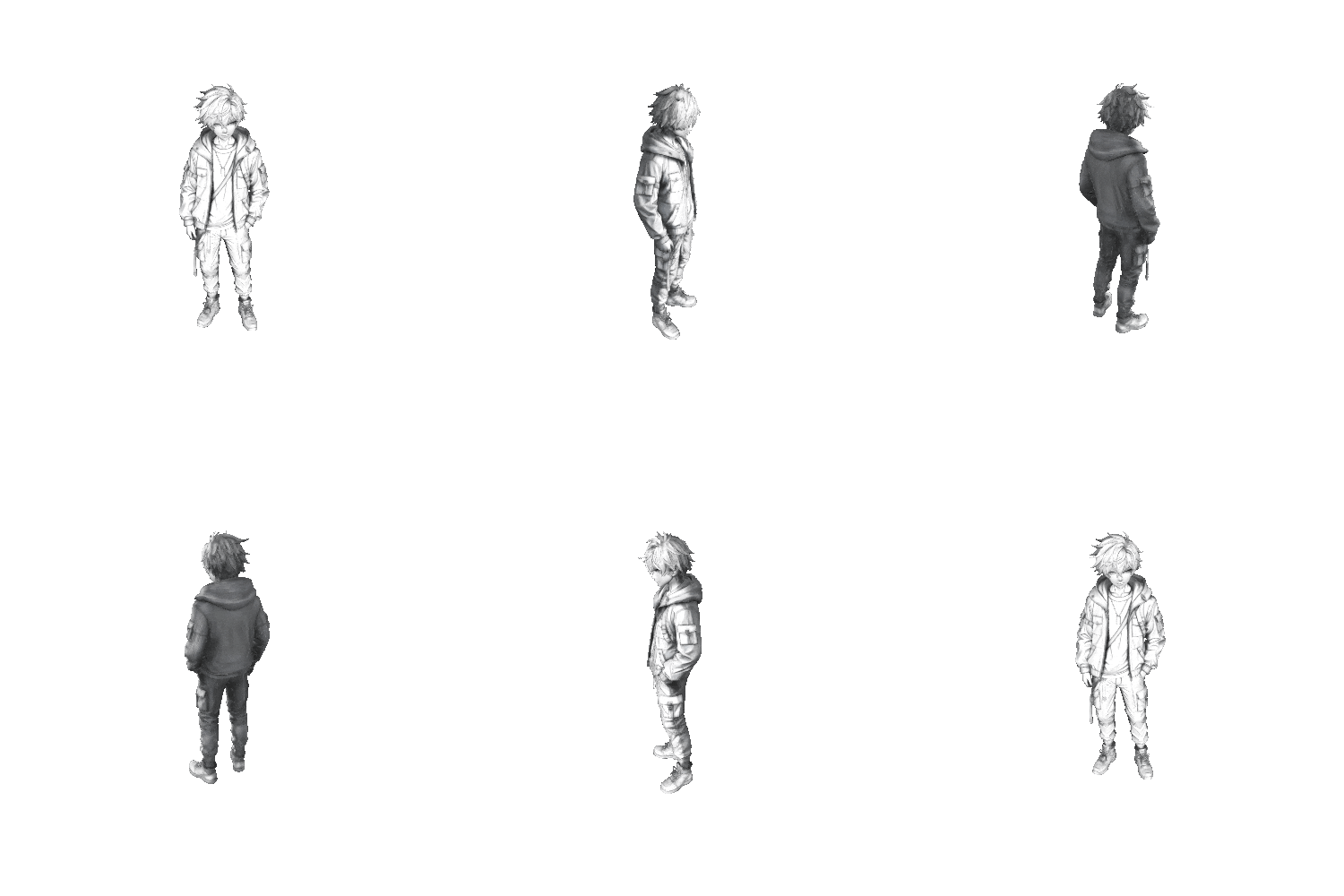
Produced a cleaner and more visually consistent result with accurate colors and fewer facial artifacts. The process felt more beginner-friendly and required almost no manual adjustment.
Which AI 3D Model Generator Should You Choose?
🚀 The "Frictionless" Shortcut: When to Choose Image to 3D AI
On the flip side, if your goals are focused on efficiency, simplicity, and keeping costs at absolute zero, standalone Image to 3D AI is the clear winner:
- You want a clean 3D asset in 90 seconds flat: If you need a fully formed model directly from a single photo without wrestling with UV unwrapping, baking, or confusing modeling jargon.
- Your priorities are visual consistency and unrestricted usage: If you are running an e-commerce store, building a 3D printing pipeline, or creating 2D graphic compositions where accurate visual replication, unlimited downloads, and free commercial usage.
- You want zero financial risk: If you want to generate unlimited models with complete, unrestricted commercial freedom from day one, entirely free of charge.
🎯 The "Pro Sculptor" Choice: When to Stick with Meshy
If you fit into any of the following scenarios, investing in Meshy’s subscription model is well worth it:
- You are a seasoned 3D artist: If you already have custom base meshes built in Blender or ZBrush and simply want to use AI to drastically speed up the tedious texture painting and PBR mapping process.
- You need total stylistic control: If your project demands a very specific artistic direction—like hand-painted anime, low-poly RPG, or photorealistic metal—and you need the sliders to tweak those channels.
- You have a flexible budget: If you don’t mind paying a monthly subscription to unlock high-poly refinement and full commercial licensing for heavy studio production.