The Complete Guide to 3D File Formats: STL, OBJ, GLB & More
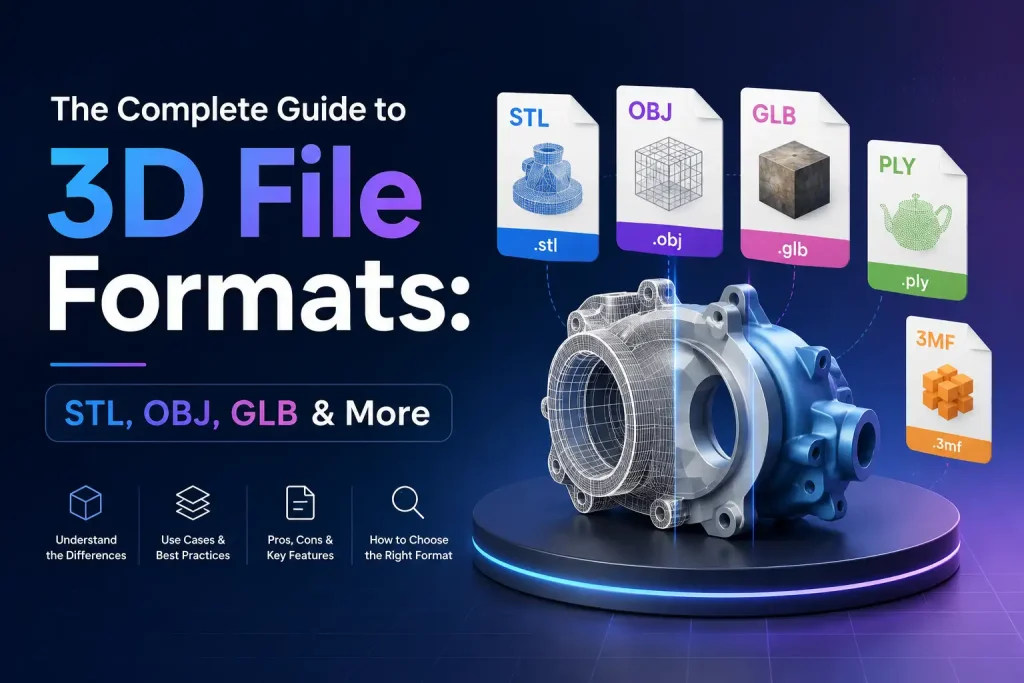
3D models power everything from 3D printing and game development to e-commerce product visualization and augmented reality. As AI-powered creation tools become more accessible, platforms like Image to 3D AI make it possible to generate 3D models directly from images, reducing the time required for traditional modeling workflows. But before you can use a 3D model effectively, you need to understand the file format it comes in.
Choosing the right format can affect everything from compatibility and file size to texture quality and animation support. Some formats are optimized for manufacturing, while others are designed for real-time rendering or web applications.
In this guide, I’ll break down the most common 3D file formats, explain their strengths and limitations, and help you decide which format is best for your workflow.
⚡️Quick Comparison: Popular 3D File Formats at a Glance
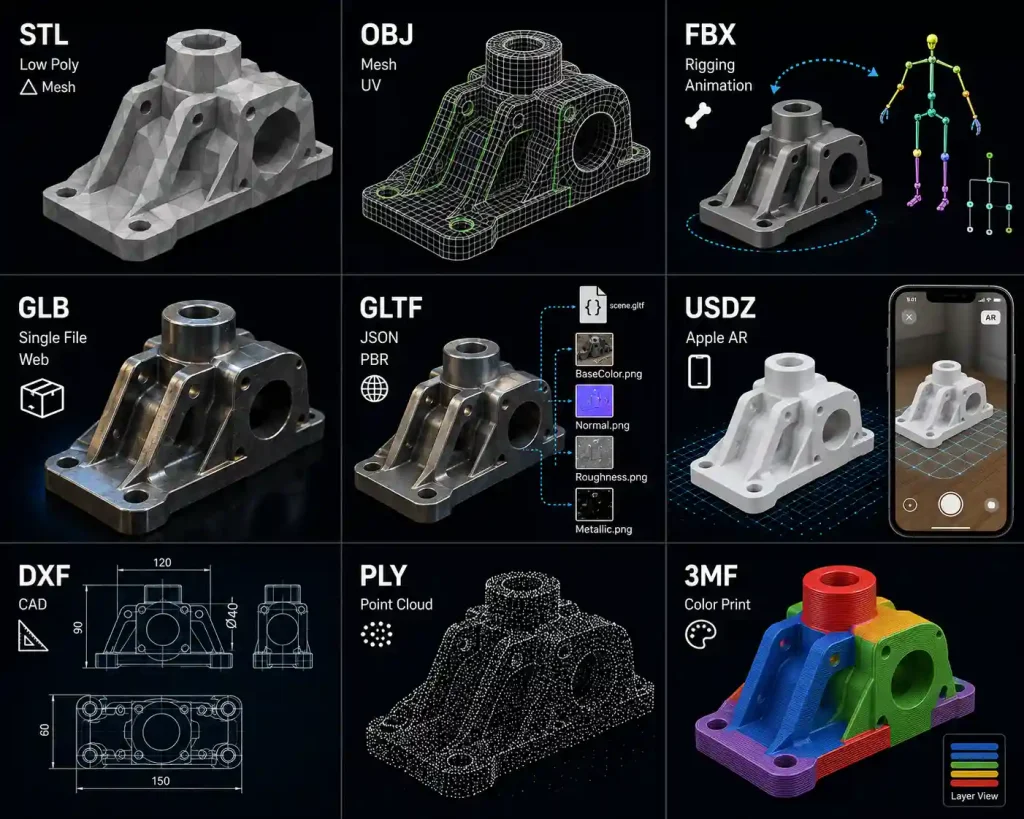
| Format | Best For | Textures | Animation | File Size | Compatibility |
|---|---|---|---|---|---|
| STL | 3D Printing | ❌ | ❌ | Small | Excellent |
| OBJ | General Modeling | ✅ | ❌ | Medium | Excellent |
| FBX | Game Development | ✅ | ✅ | Large | Very Good |
| GLB | Web & AR | ✅ | ✅ | Small | Excellent |
| GLTF | Web Applications | ✅ | ✅ | Medium | Excellent |
| USDZ | Apple AR | ✅ | ✅ | Medium | Apple Ecosystem |
| DXF | CAD & Engineering | Limited | ❌ | Small | CAD Software |
| PLY | 3D Scanning | ✅ | ❌ | Medium | Good |
| 3MF | Modern 3D Printing | ✅ | ❌ | Small | Growing |
Which 3D Format Should You Use?
| If You Want To... | Recommended Format |
|---|---|
| 3D Print a Model | STL / 3MF |
| Upload a Model to a Website | GLB |
| Create an AR Experience | GLB / USDZ |
| Import into Unity | FBX |
| Import into Unreal Engine | FBX |
| Edit in Blender | OBJ / FBX |
| Share Models Online | GLB |
| Preserve Animations | FBX / GLB |
| Work with CAD Drawings | DXF |
Why 3D File Formats Matter
A 3D model isn’t just geometry. Depending on the format, it may also contain:
- Materials
- Textures
- Animations
- Scene hierarchy
- Camera information
- Lighting data
Different formats support different types of data. Selecting the wrong format can result in missing textures, broken animations, or compatibility issues with your software.
Understanding file formats helps you:
- Improve workflow efficiency
- Avoid unnecessary conversion errors
- Reduce file sizes
- Preserve visual quality
- Ensure compatibility across platforms
Common 3D File Formats Explained
🎯STL (Stereolithography)
Best for: 3D Printing
STL is one of the oldest and most widely used 3D formats. It stores a model as a collection of triangles that describe the object’s surface.
Advantages
- Supported by virtually all 3D printers
- Lightweight and easy to process
- Industry standard for manufacturing
Limitations
- No texture support
- No color information
- No animation support
If your primary goal is 3D printing, STL is usually the safest choice.
🎯OBJ (Wavefront Object)
Best for: General 3D Modeling
OBJ is one of the most versatile and widely supported formats available today.
Advantages
- Supported by most 3D software
- Can store UV mapping
- Supports materials through MTL files
- Easy to edit and exchange
Limitations
- Does not support animation
- Materials are stored separately
- Can become large for complex models
OBJ is often the default choice when sharing static models between different applications.
🎯FBX (Filmbox)
Best for: Game Development and Animation
FBX was developed by Autodesk and has become a standard format for animation pipelines.
Advantages
- Supports animations
- Supports skeletal rigs
- Stores cameras and lights
- Works well with Unity and Unreal Engine
Limitations
- Larger file sizes
- More complex than OBJ
- Proprietary format
For animated assets and game-ready content, FBX remains one of the most popular formats available.
🎯GLB and GLTF
Best for: Web, AR, and Real-Time Rendering
GLTF is often called the “JPEG of 3D” because it is designed for efficient transmission and rendering.
GLB is the binary version of GLTF, packaging everything into a single file.
Advantages
- Supports PBR materials
- Supports animations
- Optimized for web delivery
- Small file sizes
- Excellent performance
Limitations
- Some advanced software workflows still prefer FBX
Today, GLB has become one of the most important formats for online 3D viewers, e-commerce product displays, and AR experiences.
🎯USDZ
Best for: Apple Augmented Reality
USDZ was developed by Apple and Pixar to support AR content across Apple devices.
Advantages
- Native iOS support
- Works with AR Quick Look
- Supports materials and animations
Limitations
- Primarily designed for Apple’s ecosystem
- Less commonly used outside AR workflows
If you’re creating experiences for iPhone or iPad users, USDZ is often the preferred format.
🎯DXF
Best for: CAD and Engineering
DXF is commonly used to exchange design data between CAD applications.
Advantages
- Widely supported in engineering software
- Excellent for technical drawings
- Lightweight
Limitations
- Limited support for advanced materials
- Not intended for animation
DXF remains a common choice in architecture, manufacturing, and industrial design.
🎯PLY
Best for: 3D Scanning
PLY was designed to store scanned geometry and point cloud data.
Advantages
- Supports color information
- Common in photogrammetry
- Useful for scan-based workflows
Limitations
- Limited support in some software
- Not ideal for animation
PLY is often used when working with LiDAR scans or photogrammetry-generated models.
🎯3MF
Best for: Modern 3D Printing
3MF was developed to address some of STL’s limitations.
Advantages
- Supports color
- Supports materials
- Stores manufacturing metadata
- Smaller and more efficient
Limitations
- Not as universally supported as STL
Many experts consider 3MF the future of 3D printing formats.
❓How to Convert Between 3D File Formats
Different platforms often require different file formats. A model created for 3D printing may need to be converted to GLB for web display, while a game asset may need to move from OBJ to FBX.
Using a 3D model file converter can simplify these workflows by supporting fast conversion between popular formats including STL, OBJ, GLB, USDZ, DXF, PLY, and 3MF.
Typical Conversion Workflow
- Upload the Source File: Select the 3D model from a local device or cloud storage.
- Select the Target Format: Choose from widely used formats like STL, OBJ, GLB, USDZ, or 3MF depending on the intended use.
- Run the Conversion: The converter processes the model automatically, keeping materials, textures, and animations intact whenever supported by the format.
- Download the Converted Model: The resulting file is ready to use in 3D printing, web visualization, AR experiences, or game development.
❌️Common Conversion Problems
Missing Textures
One of the most common issues occurs when texture files are stored separately from the model.
Solution: Make sure all texture assets are included before conversion.
Broken Materials
Different formats use different material systems.
Solution: Use formats that support PBR materials, such as GLB and GLTF.
Large File Sizes
High-poly meshes can dramatically increase file size.
Solution: Optimize geometry before conversion.
Lost Animations
Not every format supports animation data.
Solution: Use FBX, GLTF, or GLB for animated content.
Best Practices for Working with 3D Formats
To avoid common workflow issues:
- Keep original source files backed up.
- Organize texture assets properly.
- Use GLB for web-based projects whenever possible.
- Use STL or 3MF for 3D printing.
- Use FBX for animation pipelines.
- Test converted files before deployment.
- Optimize mesh density for performance.
Following these practices can save significant time during production.
Final Thoughts
There is no single 3D file format that works best for every project. The right choice depends on how a model will be created, edited, shared, and ultimately used.
As 3D workflows continue to evolve, understanding the strengths and limitations of each format becomes increasingly important. Whether you’re generating models with Image to 3D AI, preparing assets for a game engine, or converting files with a 3D Model File Converter, choosing the right format can help preserve quality, improve compatibility, and streamline the entire workflow.
A solid understanding of 3D file formats not only makes collaboration easier but also helps ensure that your models look and perform as intended across different platforms and devices.