How to Use AI Retopology to Optimize 3D Models
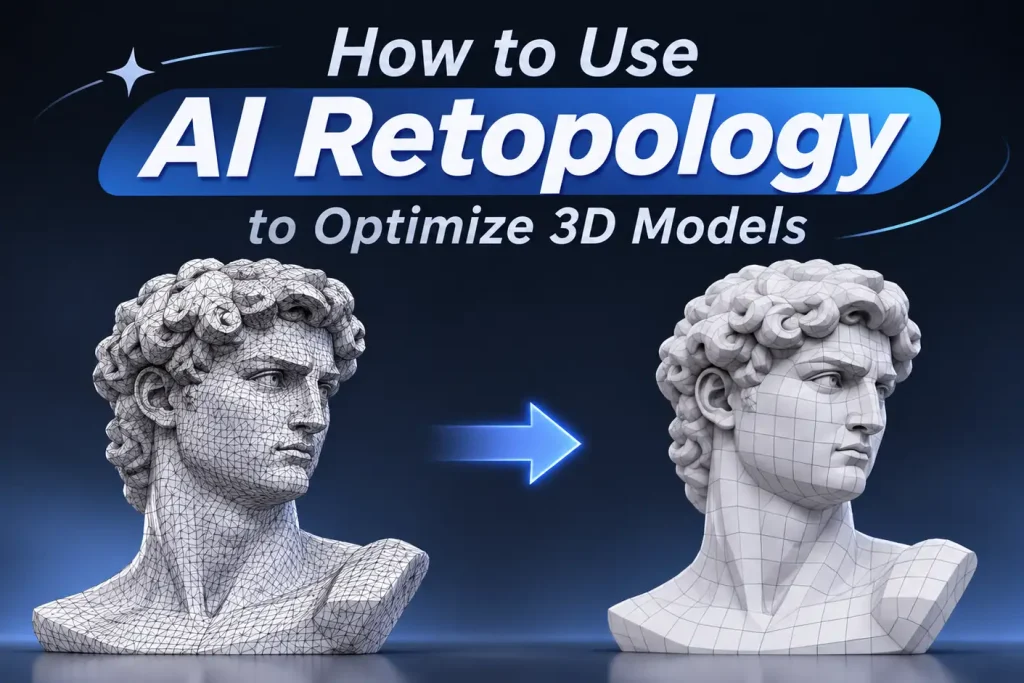
A 3D model may look great on the surface, but its underlying mesh can tell a different story. High polygon counts, uneven geometry, and poorly organized topology can make models harder to edit, animate, and use in real-time applications.
Retopology helps solve these problems by reorganizing a model’s mesh into a more manageable structure. While traditional retopology often requires considerable manual work, AI retopology automates much of the process, making mesh optimization faster and more accessible.
In this guide, you’ll learn what AI retopology does, how it compares with other mesh optimization methods, and how to choose the right face level and topology type for your 3D workflow.
What Is AI Retopology?
Retopology is the process of rebuilding or reorganizing the polygon structure of an existing 3D model. It is commonly used to create cleaner, more efficient meshes while maintaining the original model’s overall shape.
A model created through sculpting, 3D scanning, or AI generation may contain dense or irregular geometry. Although this geometry can preserve fine surface details, it isn’t always practical for animation, further editing, or real-time rendering.
AI retopology uses artificial intelligence to analyze the geometry of an existing model and automatically generate a new mesh based on the desired output settings. Instead of manually placing vertices and edges, users can let an AI-powered tool handle much of the topology generation.
This makes AI retopology useful for several workflows:
- AI-generated 3D models: Optimize meshes produced by image-to-3D or text-to-3D tools.
- High-poly sculpting: Create more manageable geometry from detailed sculpted models.
- 3D scanning: Reorganize dense or irregular scan data into a more usable mesh.
- Game assets: Prepare models with more appropriate polygon counts for real-time applications.
- General 3D modeling: Simplify complex geometry before further editing or processing.
Unlike basic polygon reduction, 3D retopology AI focuses on generating a new mesh structure rather than simply removing existing polygons. However, automatically generated topology may still require manual adjustments for specialized production needs.
AI Retopology vs Decimation, Remeshing, and Manual Retopology
AI retopology isn’t the only way to optimize a 3D mesh. Decimation, remeshing, and manual retopology are also common techniques, but each serves a different purpose.
Understanding their differences can help you choose the right approach for your model.
| Method | What it does | Best for |
|---|---|---|
| AI retopology | Uses AI to rebuild topology while preserving the model's shape | High-poly to cleaner low-poly workflows |
| Decimation | Reduces polygon count by removing or collapsing geometry | Quick file-size reduction |
| Remeshing | Rebuilds surface polygons into a more even mesh | Smoothing noisy geometry and creating uniform density |
| Manual retopology | Artist manually draws or controls new topology | Hero characters, precise deformation, final production assets |
How to Retopologize a 3D Model with AI
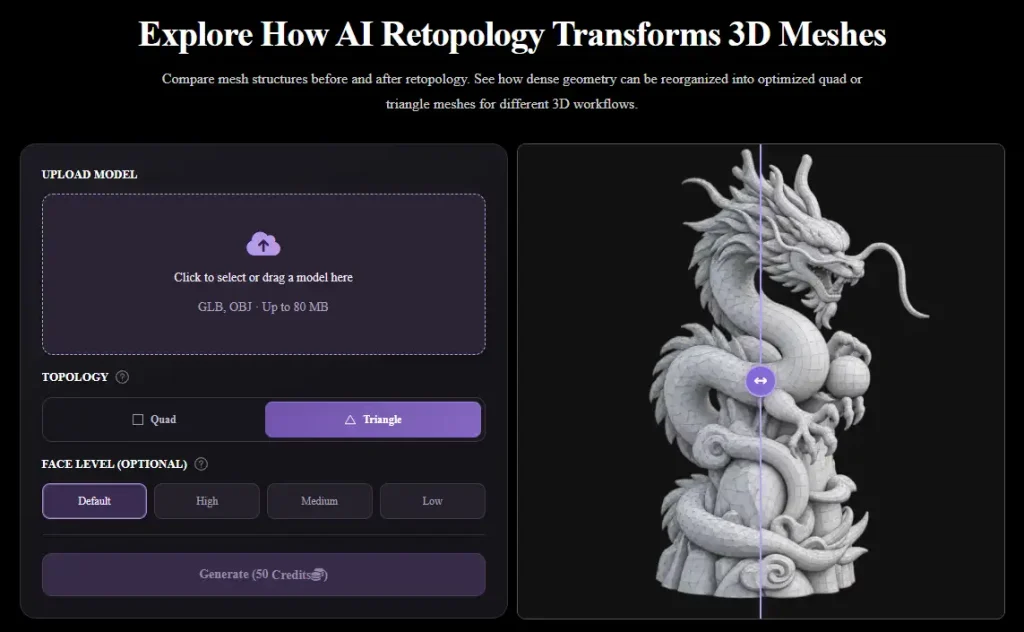
Step 1: Upload Your 3D Model
Start by selecting the 3D model you want to optimize and uploading it to an AI retopology tool.
Your input could be a high-poly sculpt, an AI-generated asset, or a 3D scan. Before uploading, make sure the model is complete and supported by the tool’s input formats.
Step 2: Choose Your Retopology Settings
Step 3: Generate and Export Your Model
How to Choose High, Medium, or Low Face Levels
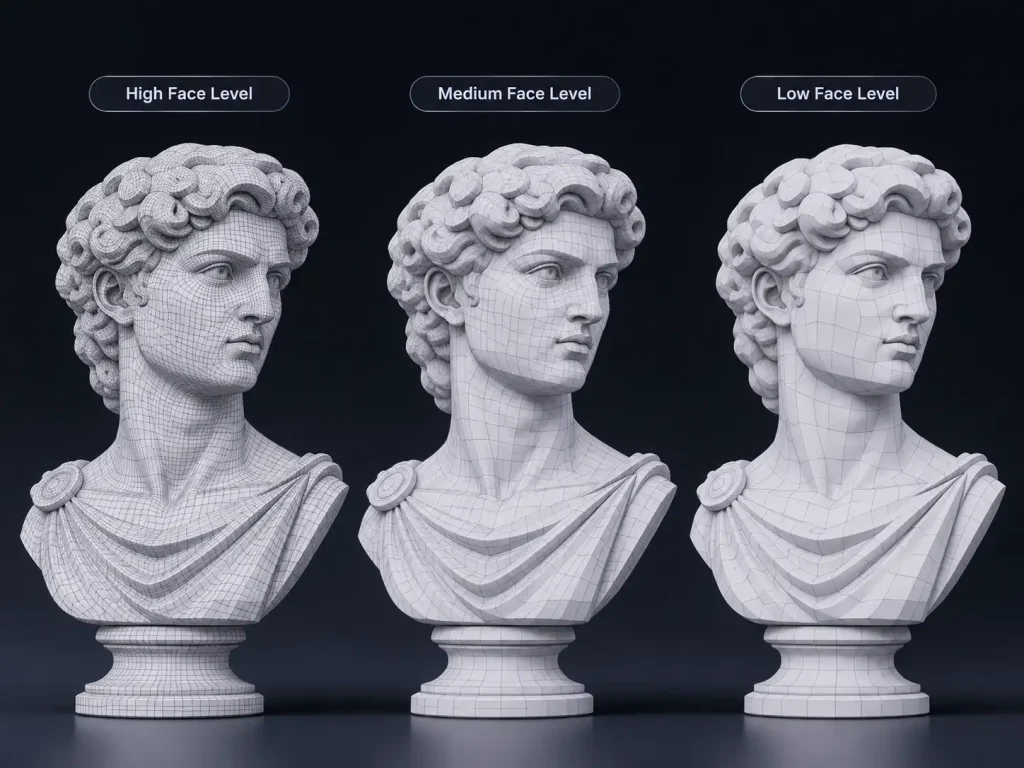
High Face Level: Preserve More Details
High face levels generate denser meshes with more polygons, making them suitable for models with intricate shapes and fine geometric details.
Consider using High when:
- Working with detailed sculptures or complex 3D assets.
- Preparing models for close-up rendering.
- Preserving intricate curves, edges, and smaller geometric features.
- Maintaining more geometric detail for further processing.
The trade-off is a heavier mesh that may require more memory and processing resources.
Medium Face Level: Balance Detail and Performance
Medium face levels provide a balance between geometric detail and mesh complexity. They are a practical starting point for many general-purpose 3D assets.
Consider using Medium when:
- Optimizing everyday 3D models.
- Preparing assets for general visualization.
- Reducing unnecessary geometry without aggressively simplifying the model.
- Looking for a reasonable balance between detail and performance.
For many models, Medium is a good starting point. You can always compare it with High or Low to see which result better suits your needs.
Low Face Level: Create Lightweight Meshes
Low face levels prioritize simpler geometry and fewer polygons. They are useful when performance and mesh efficiency matter more than retaining every small detail.
Consider using Low when:
- Creating lightweight assets for real-time applications.
- Preparing background or distant objects.
- Simplifying relatively simple models.
- Reducing geometry before additional modeling or optimization.
Keep in mind that very low face levels may remove small features or affect the accuracy of complex silhouettes.
How to Choose: Start by considering how close the model will appear and how much geometric detail it needs. Use High for detail-heavy assets, Medium for general-purpose models, and Low for lightweight geometry. If you’re unsure, generate different versions and compare their silhouettes and surface quality rather than choosing based on polygon count alone.
Triangle vs Quad Output: Which Should You Choose?
Besides face level, topology type is another important setting in AI retopology. Depending on your workflow, you may need a triangle mesh or a quad mesh.
Both have practical applications, and neither is universally better. The best choice depends on how you plan to use and edit the model.
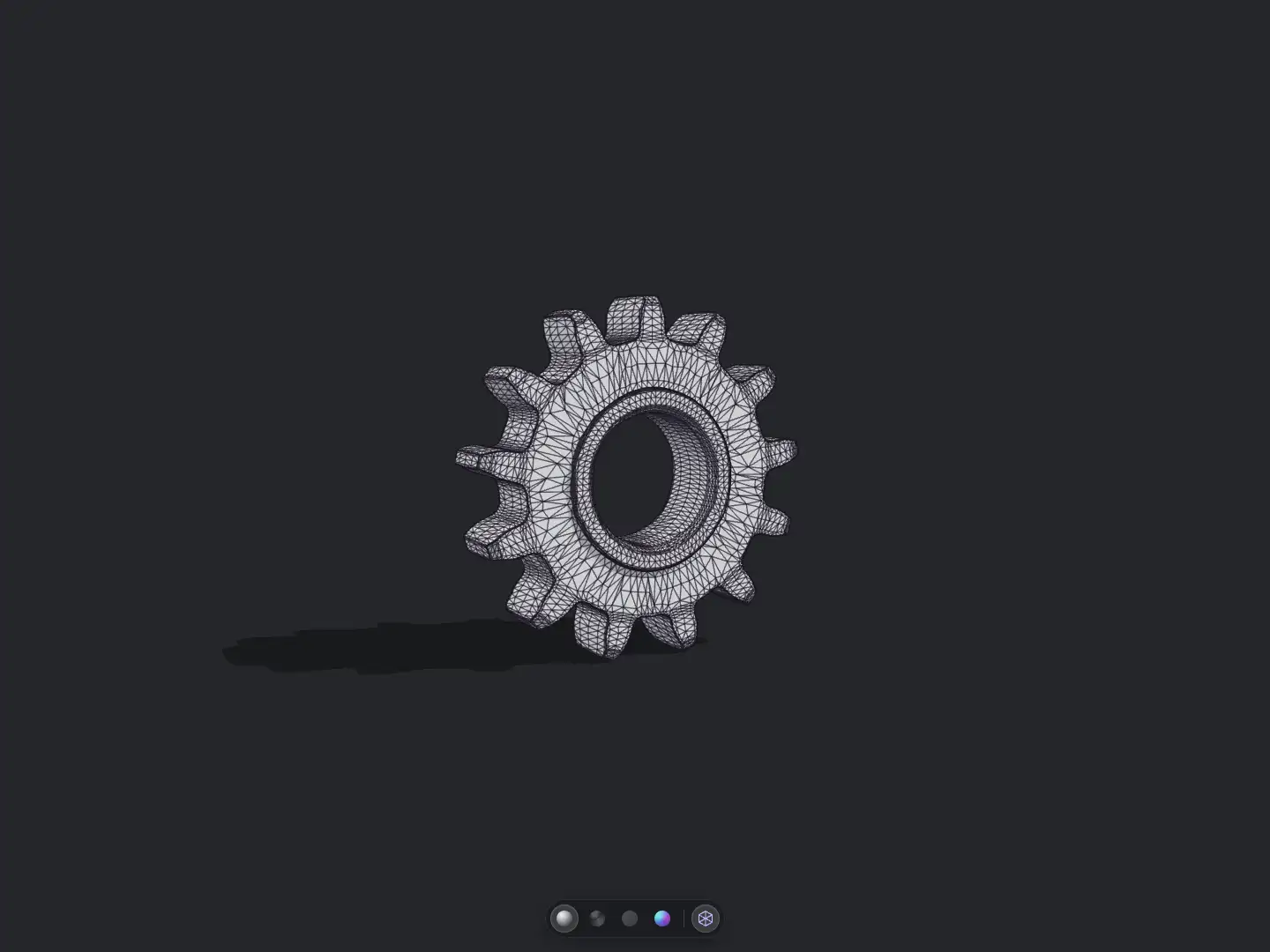
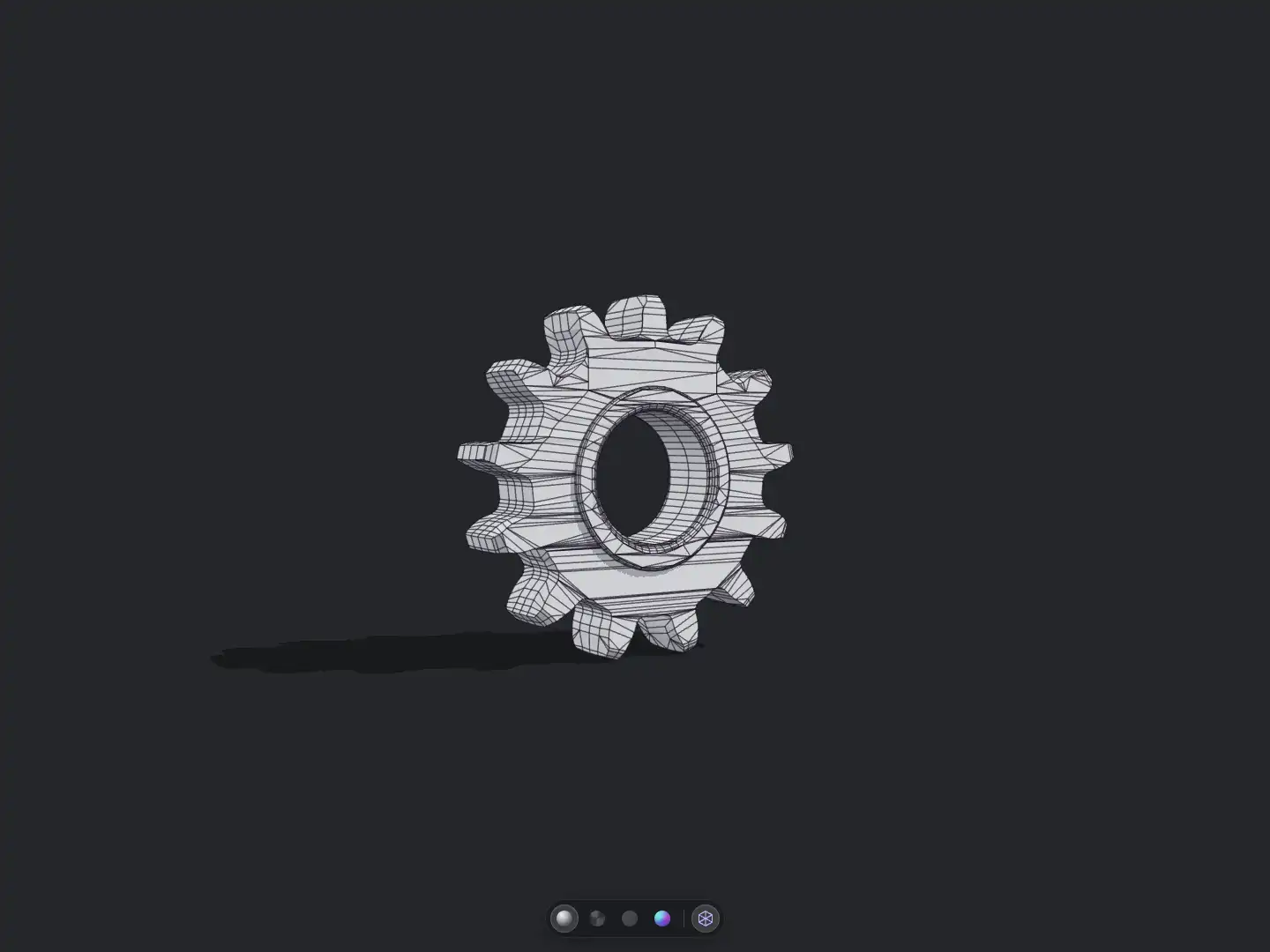
Triangle Topology: Best for Real-Time Rendering and Game Assets
Triangle topology consists of polygon faces with three vertices. Triangles are a fundamental part of real-time rendering, and game engines ultimately render all meshes as triangles.
Triangle output can be a suitable choice for:
- Static game assets.
- Real-time rendering workflows.
- Models that don’t require extensive topology editing.
- Lightweight assets with straightforward geometry requirements.
However, irregular triangle edge flow can make certain editing operations more difficult, especially when you need to adjust edge loops or refine the mesh manually.
Quad Topology: Better for Modeling and Deformation Workflows
Quad topology uses four-sided polygon faces. Its regular structure makes it easier to work with edge loops, subdivisions, and many modeling operations.
Quad output is particularly useful for:
- Models that require additional sculpting or editing.
- Subdivision surface modeling.
- Character modeling and deformation workflows.
- Assets where edge flow and topology control are important.
However, quad topology alone doesn’t guarantee animation-ready geometry. Areas around joints, facial features, and other deformation zones may still need manual adjustments.
Which One Should You Choose?
| Requirement | Recommended Topology |
|---|---|
| Static game assets | Triangle |
| Real-time rendering | Triangle |
| Further mesh editing | Quad |
| Subdivision modeling | Quad |
| Character deformation | Quad |
| Final triangulated game-engine meshes | Triangle |
If you’re building a model that will go through several rounds of editing, quad topology is often more convenient. If your priority is a final static asset for real-time rendering, triangle topology may be sufficient.
The important thing is to consider the next stage of your workflow rather than choosing a topology type based on appearance alone.
Tips for Getting Better AI Retopology Results
Even with an automated tool, a few simple habits can noticeably improve the quality of your retopology output:
- Start with Medium, then compare. Generate a Medium version first, then test High or Low to find the best balance between detail and mesh complexity.
- Prepare your input model. Fix holes, overlapping surfaces, and obvious geometry issues before uploading to improve the quality of the generated mesh.
- Focus on the silhouette. Check whether the optimized model retains its original shape and important features instead of judging the result by polygon count alone.
- Inspect edge flow manually. If the model is intended for animation or deformation, pay special attention to joints, facial features, and other areas that require clean edge loops.
- Choose topology based on your workflow. Use Quads for further modeling and deformation, or Triangles for common real-time rendering and game asset workflows.
Optimize Your 3D Models with AI Retopology
A well-structured mesh makes 3D models easier to edit, process, and integrate into different production workflows. AI retopology simplifies this process by automating mesh generation and giving you more control over the output.
Whether you’re working with a detailed sculpt, an AI-generated asset, or a scanned model, choosing the right face level and topology type can make a significant difference.
Start with the AI retopology on Image to 3D AI, experiment with different face levels and topology types, and find the mesh structure that works best for your next 3D project.