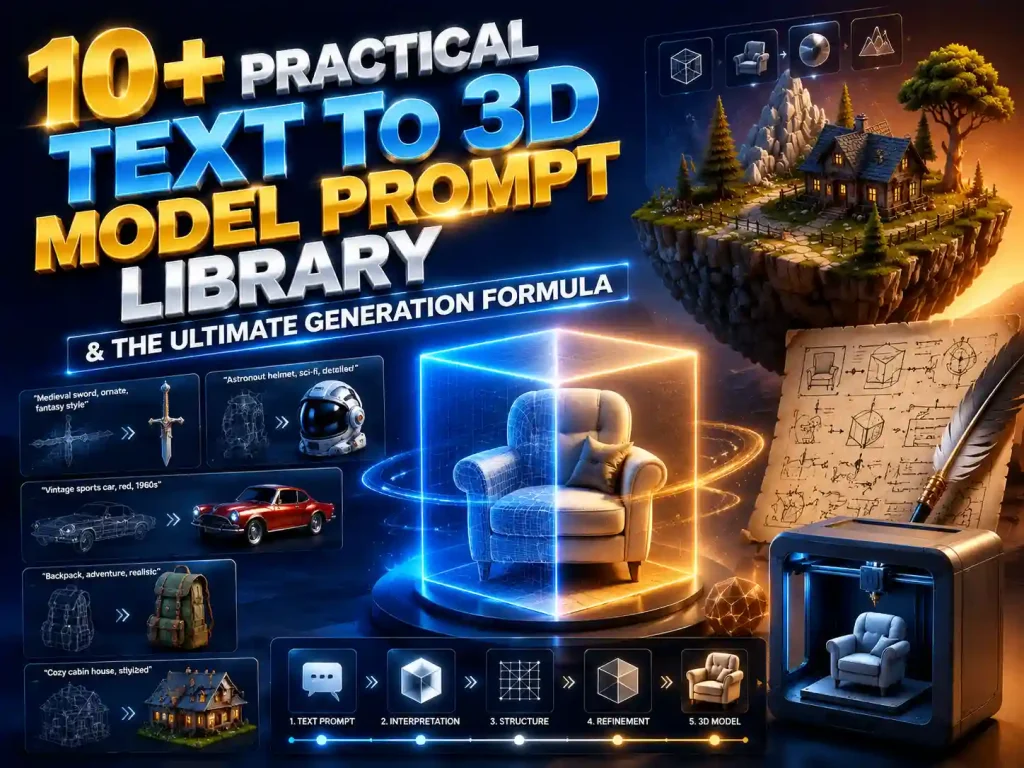
10+ Practical Text to 3D Model Prompt Library & The Ultimate Generation Formula
Generating high-quality assets using a text to 3d model generator frequently presents technical challenges, such as distorted geometry, inverted normals, and unoptimized mesh topology. Unlike 2D AI image generation, which prioritizes atmospheric and visual aesthetics, text-to-3d engines require highly structured, geometric, and material-specific instructions to output clean, production-ready files.
If you are looking for an ai text to 3d model free no signup workflow to quickly test concepts, mastering the underlying prompt syntax is essential. Moving from basic descriptions to advanced text-to-3d pipelines allows developers to generate clean assets on demand. This guide provides a technical breakdown of how to build a high-performance prompt, complete with 10+ production-ready case studies spanning game assets, hard surface modeling, figures, and environmental props.
The Golden Prompt Formula: Why 2D Rules Don't Work
When prompting for 2D images, creators often rely on atmospheric words and emotional vibes (e.g., “stunning, cinematic lighting”). If you copy-paste those phrases into a 3D AI generator, the engine struggles to interpret the spatial data. 3D AI does not just render pixels; it constructs vertices, edges, faces, and UV maps. Therefore, a successful prompt must be structural, technical, and mathematically clear.To get the best results, always use this 4-step formula:
Subject+Style+Modifiers+Topology
💡 The Four Pillars Broken Down:
● Subject: Exactly what is the object? Be specific. Instead of “a gun”, use “a sci-fi plasma blaster”.
● Style: Specifies the aesthetic look (e.g., Low-poly, Photorealistic, Stylized PBR, Cyberpunk).
● Modifiers: Defines colors, precise material types, and specific textures (e.g., anodized aluminum, matte polymer, weathered patina, micro-scratches).
● Topology & Purpose: Crucial for optimization. This tells the AI how to structure the 3D grid depending on whether you need it for a game engine or a 3D printer (e.g., A-pose, T-pose, clean geometry, manifold).
10+ Premium Prompt Case Studies
📥 How to use: Copy the prompts in the code blocks below directly into your generation tool. Swap out the Subject to customize them for your own projects.
Category I: Game Assets & Low-Poly Art
⛑️Next-Gen Medieval Knight Helmet (Low-Poly)
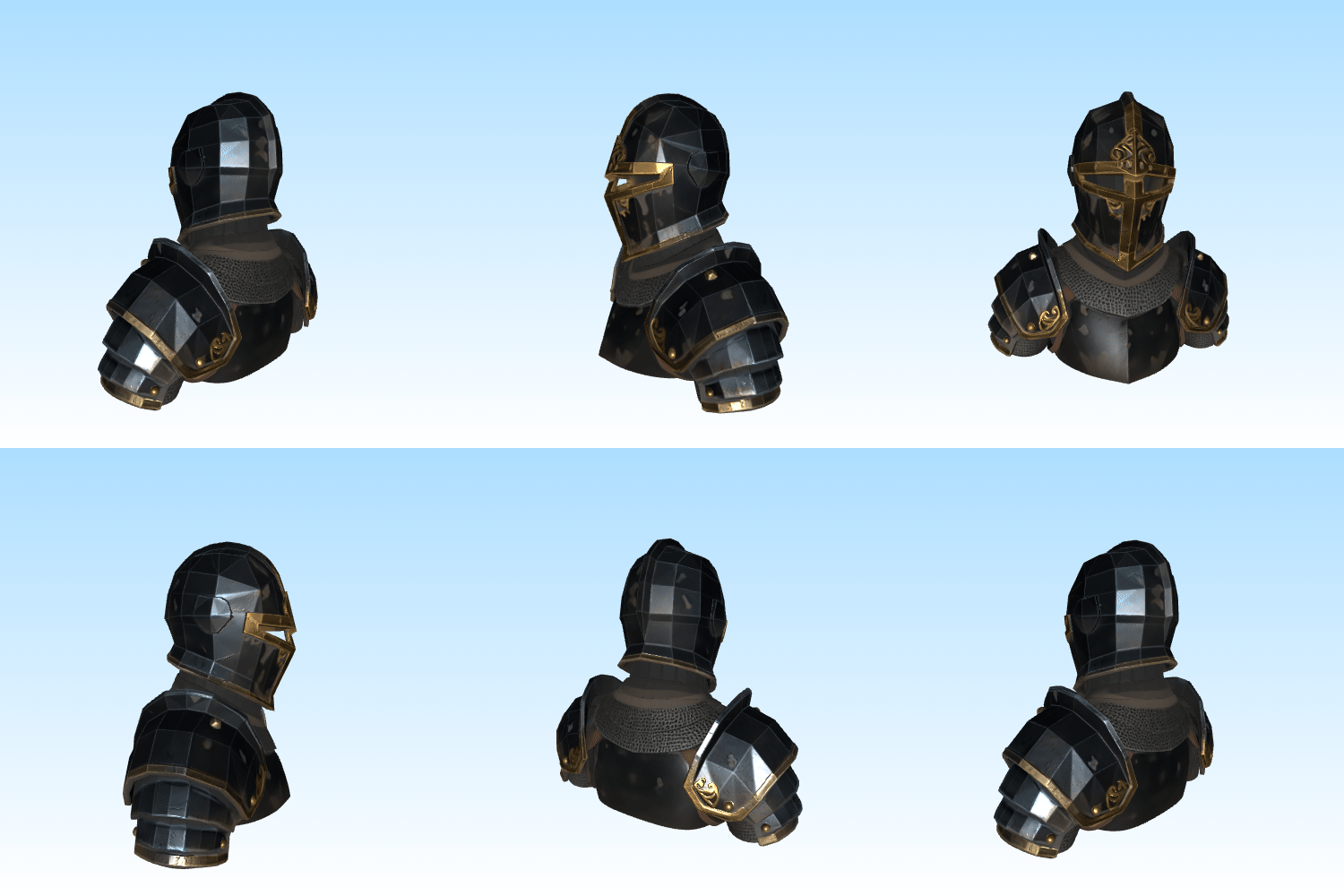
A medieval knight's closed-visor helmet, stylized low-poly art, low-poly count optimized for mobile games, weathered dark iron finish with subtle gold filigree engraving, micro-scratches, 8K PBR texture pipeline with hand-painted diffuse maps baked, clean geometry, non-overlapping UVs
🔫Cyberpunk Plasma Energy Emitter (Anti-Filter/Safe Version)
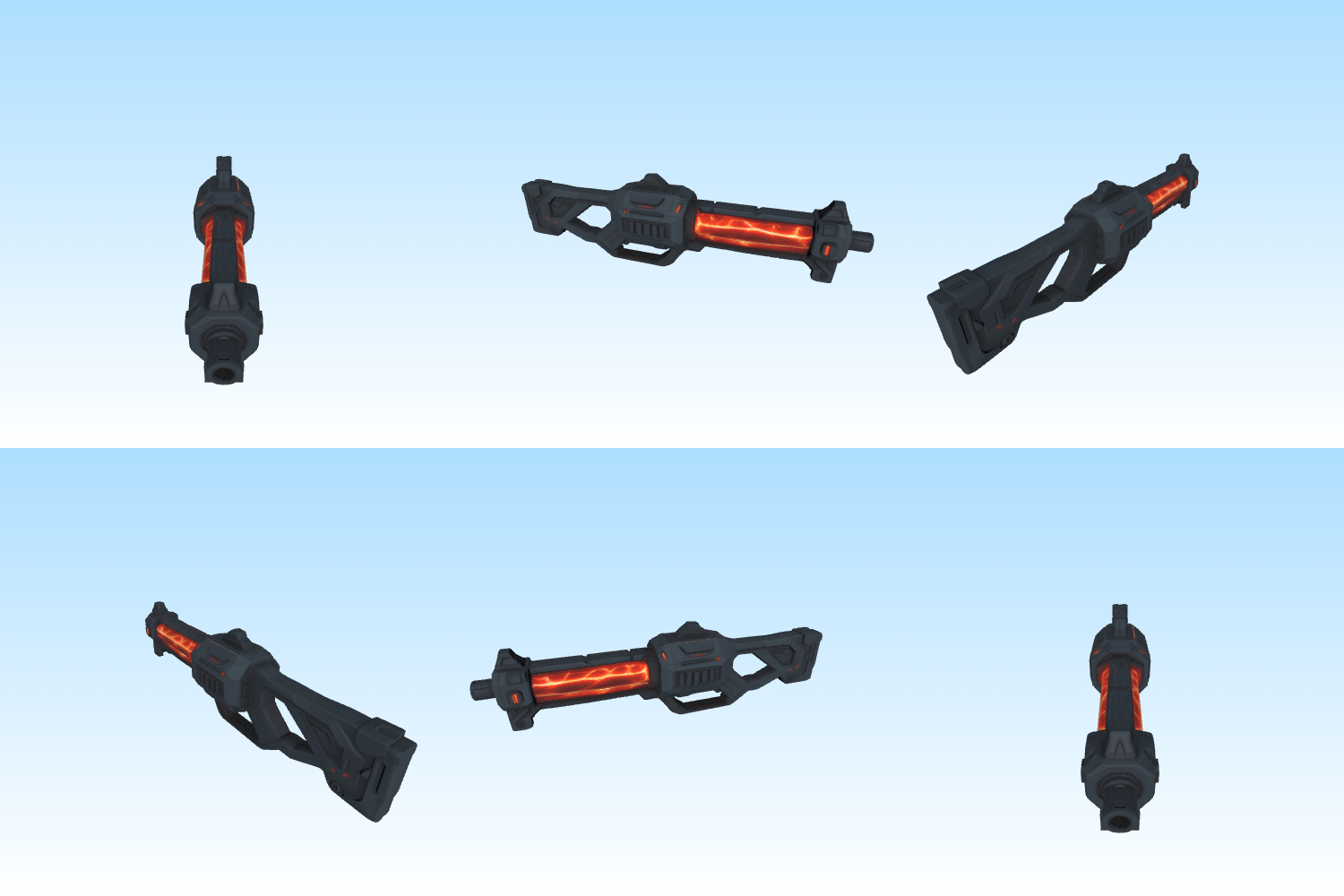
A futuristic plasma energy emitter device, cyberpunk prop design, low-poly aesthetic, matte polymer chassis, glowing emissive neon crimson energy lines, tactical rail elements, hard surface details, clean mesh topology for game engines
Technical Note: If your generation system blocks words like “rifle” or “gun” due to rigid content filters, swapping them for device or prop bypasses the block while maintaining the intended structural output.
🧰RPG Epic Mimic Chest (Dark Fantasy)
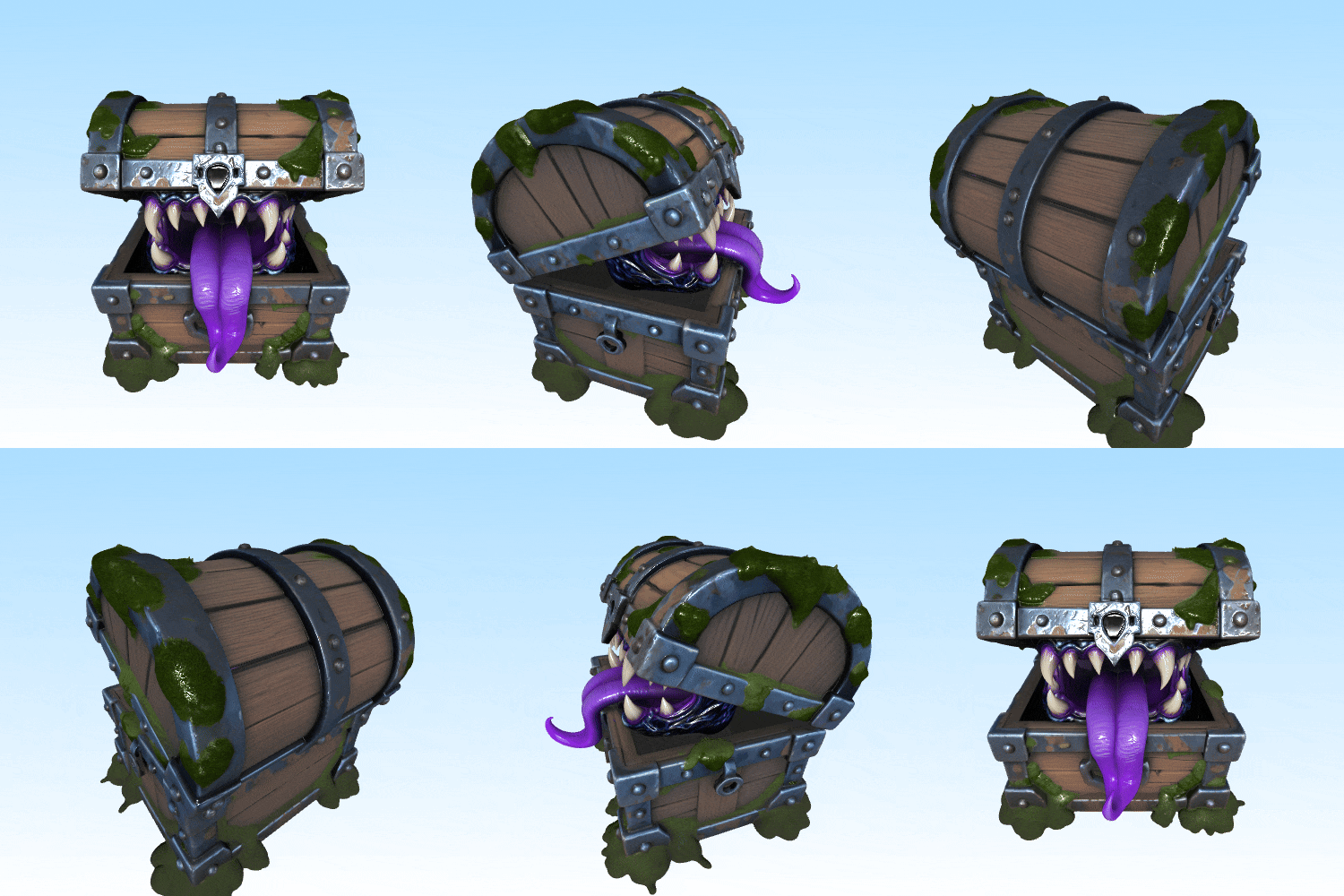
A mimic monster treasure chest with jagged obsidian teeth and a purple spectral tongue, dark fantasy hand-painted style, moss-covered ancient oak wood planks, tarnished reinforced iron bands, stylized 3D game asset, 8K PBR texture pipeline, symmetrical topology
Category II: Realistic & Hard Surface Modeling
⚙️High-Precision Heavy Industrial Compound Gear
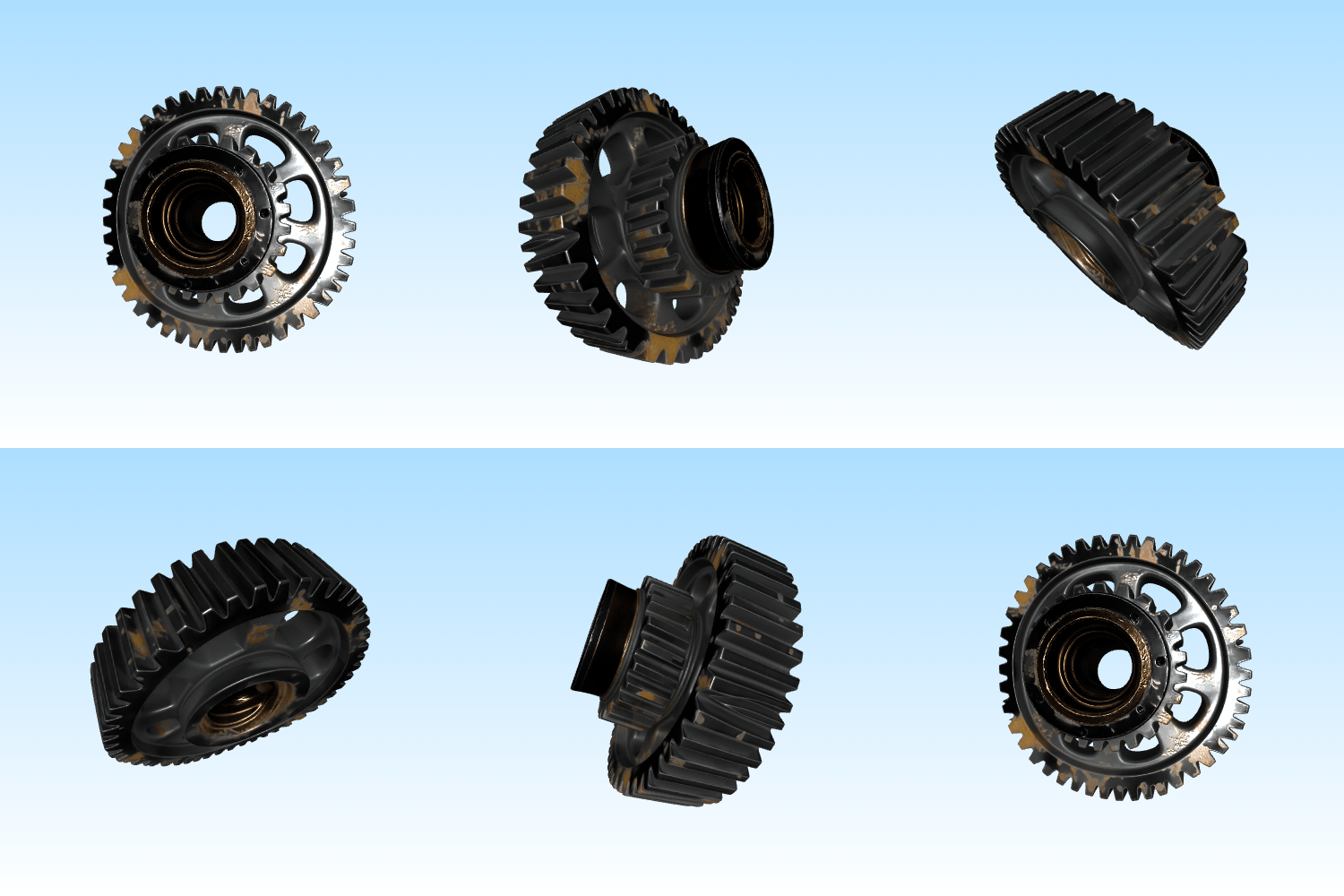
A heavy-duty industrial compound gear assembly, ultra-photorealistic, machined industrial steel, chemical blackened finish with bronze inner core, industrial grease and oil staining in crevices, knurled textures, 8K PBR texture pipeline, manifold geometry, watertight mesh for 3D printing
🛸Military-Spec Cyberpunk Surveillance Drone
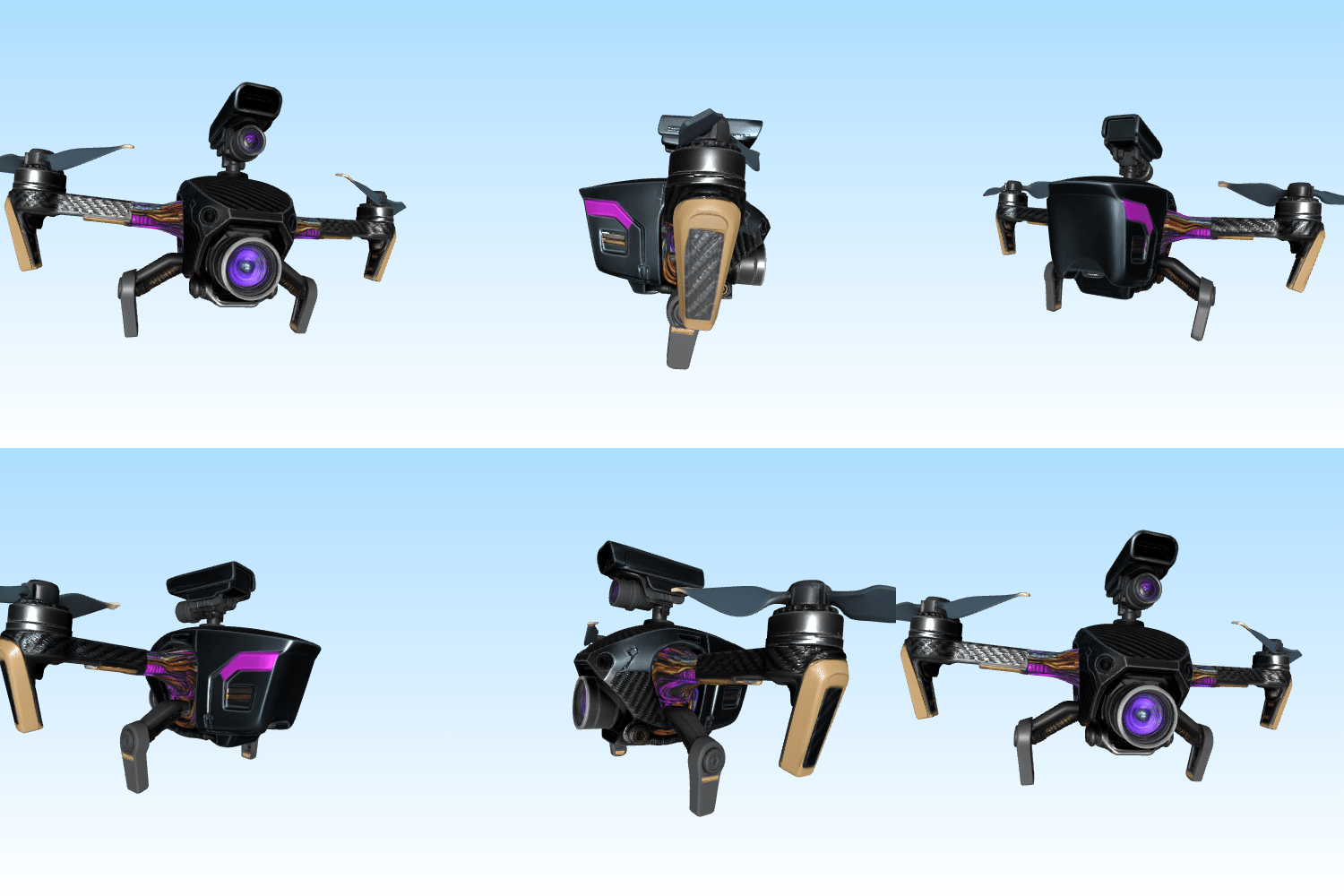
A tactical military surveillance quadcopter drone, hard-surface cyberpunk style, matte carbon fiber weave textures, brushed aluminum rotors, intricate wiring exposure, realistic camera lens with optical purple coating, raytraced metallic reflection, high-fidelity geometry, clean mesh topology
🪓Tactical Survival Axe (Spec-Ops Style)
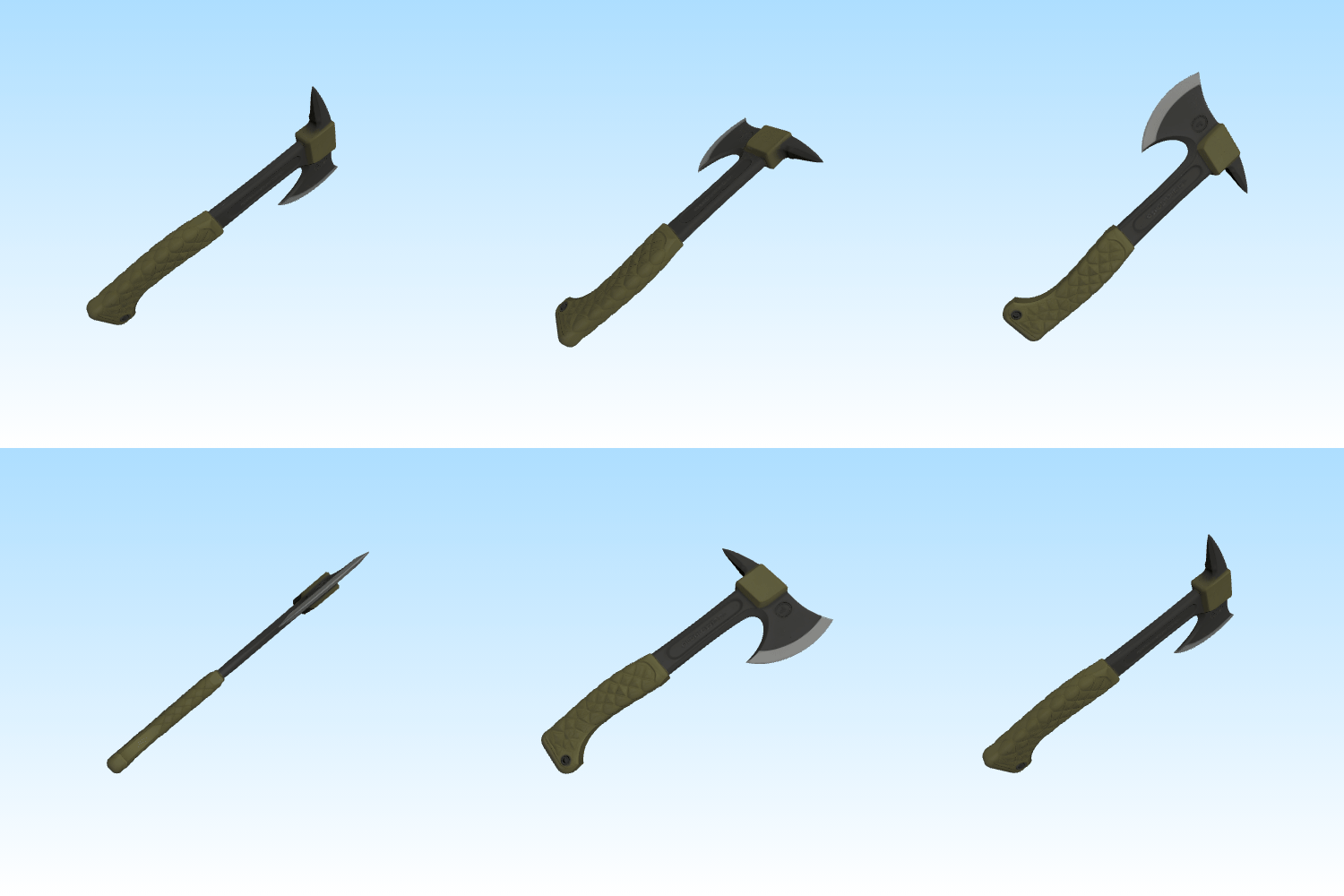
A high-end tactical survival axe, modern military spec-ops style, textured olive drab G10 composite handle, laser-etched black oxide coated steel blade with razor-sharp beveled edges, realistic grip wrapping, clean polygonal flow, 8K PBR texture pipeline, cinematic hard-surface model
Category III: Chibi, Vinyl Toys & Blind Boxesj
🧸Pastel Space Bear Collectible Toy
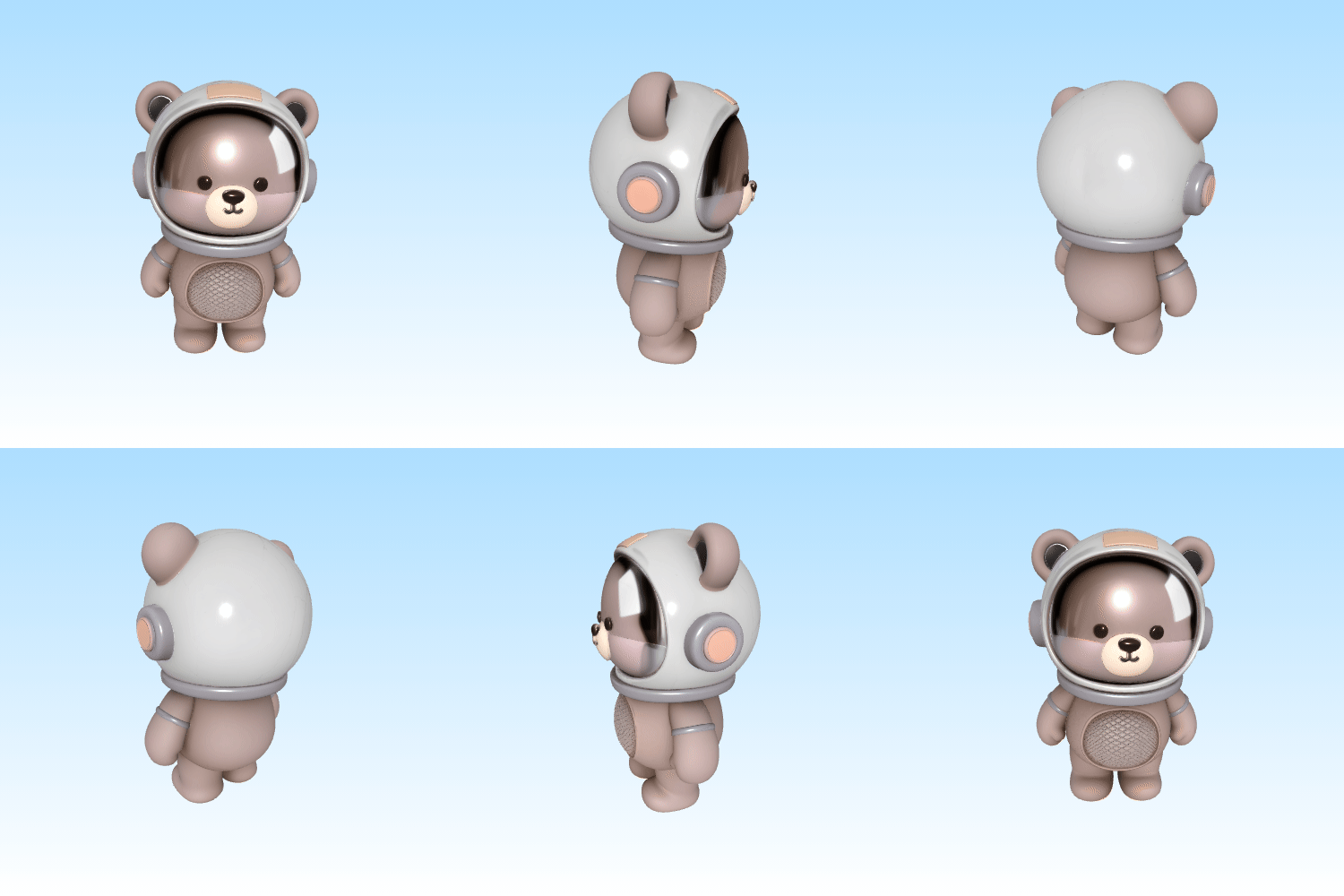
A cute chubby aesthetic astronaut bear collectible toy standing in a symmetrical T-pose, Pop Mart style, premium smooth matte vinyl texture, soft pastel Morandi color palette, glossy polycarbonate helmet visor, perfectly rounded clean geometry, clay material finish, seamless mesh
🐉Pearlescent Chibi Fantasy Dragon
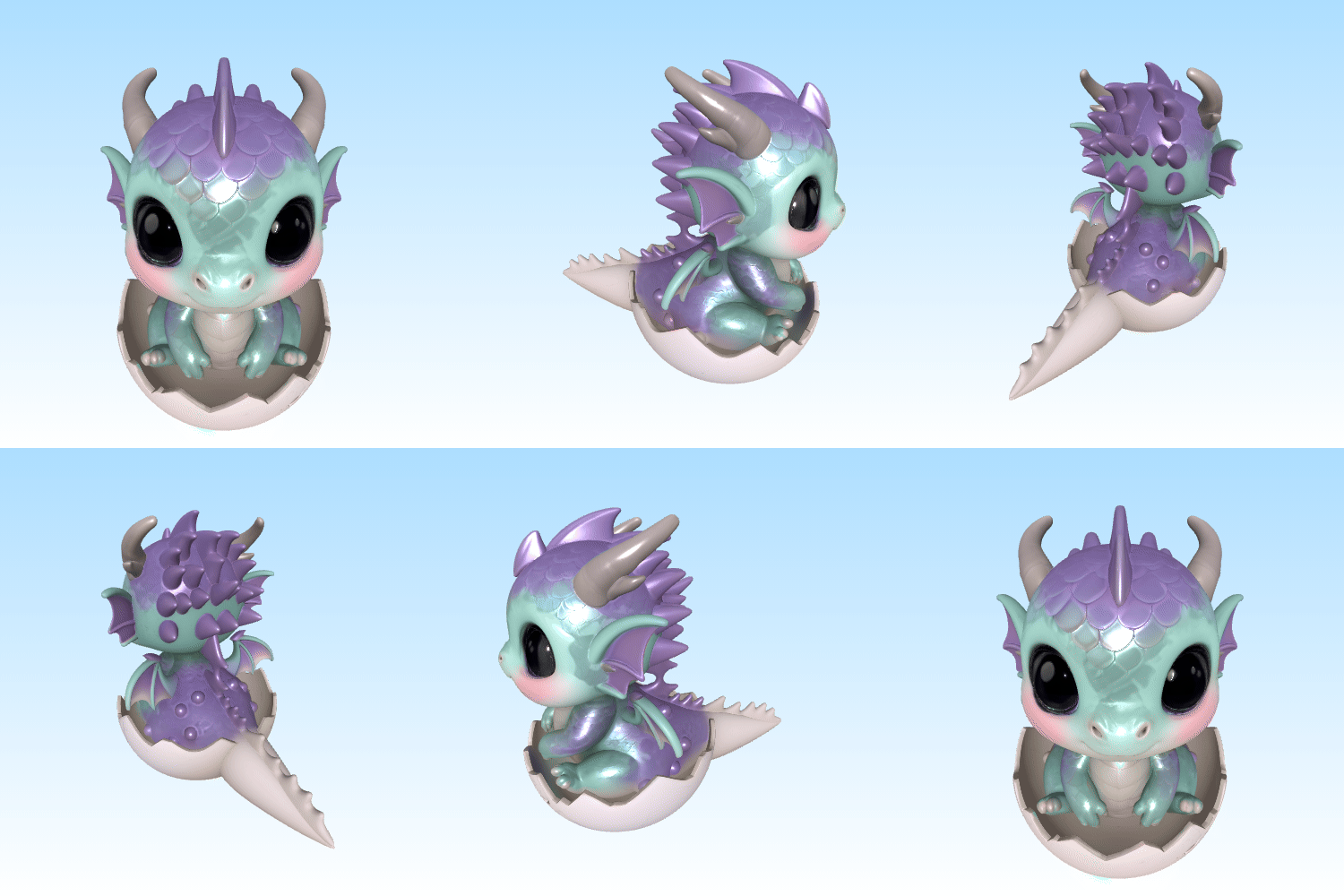
A baby fantasy dragon hatchling standing in a stable A-pose, chibi anime art style, pearlescent gradient scales shifting from lilac to mint green, big glossy resin eyes with deep reflections, soft-sculpt aesthetic, smooth 3D asset for character design, clean geometry to avoid limb fusing
📺Retro Vaporwave CRT TV Character

An anthropomorphic 1980s retro CRT television set character standing in a neutral A-pose, whimsical cartoon 3D style, textured pastel cream rubberized body, glossy glass screen displaying a glowing retro synthwave smile face, tactile plastic knobs, clean geometry, playful character asset
Category IV: Environments, Architecture & Props
🏞️Next-Gen Floating Sky Island
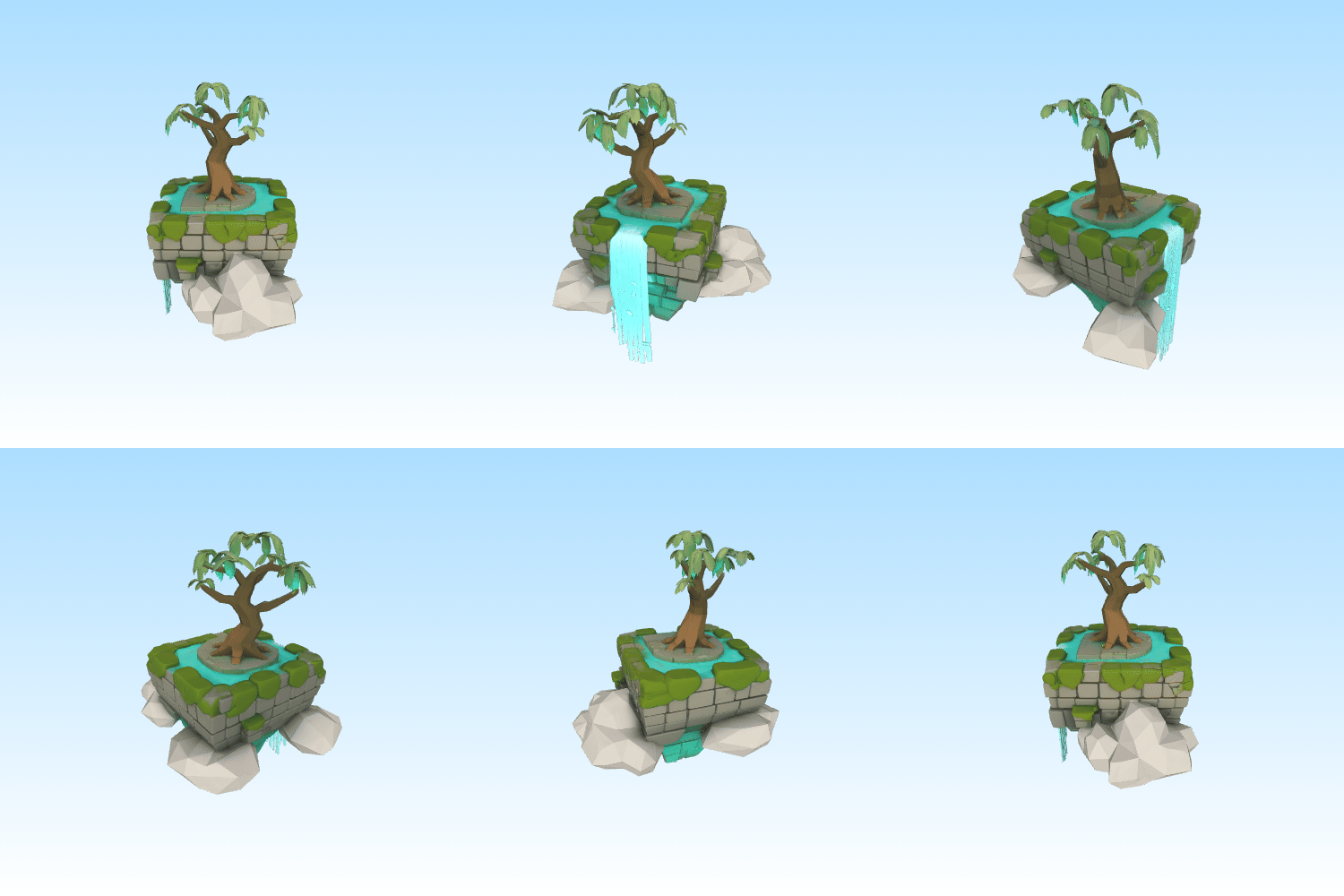
A hyper-detailed floating sky island, stylized low-poly fantasy, an ancient glow-in-the-dark willow tree on top, luminescent green mossy stone bricks, stylized layered waterfall cascading into clouds, modular environment asset, optimized mesh, clean low-poly wireframe
🎰Gritty Cyberpunk Holographic Vending Machine
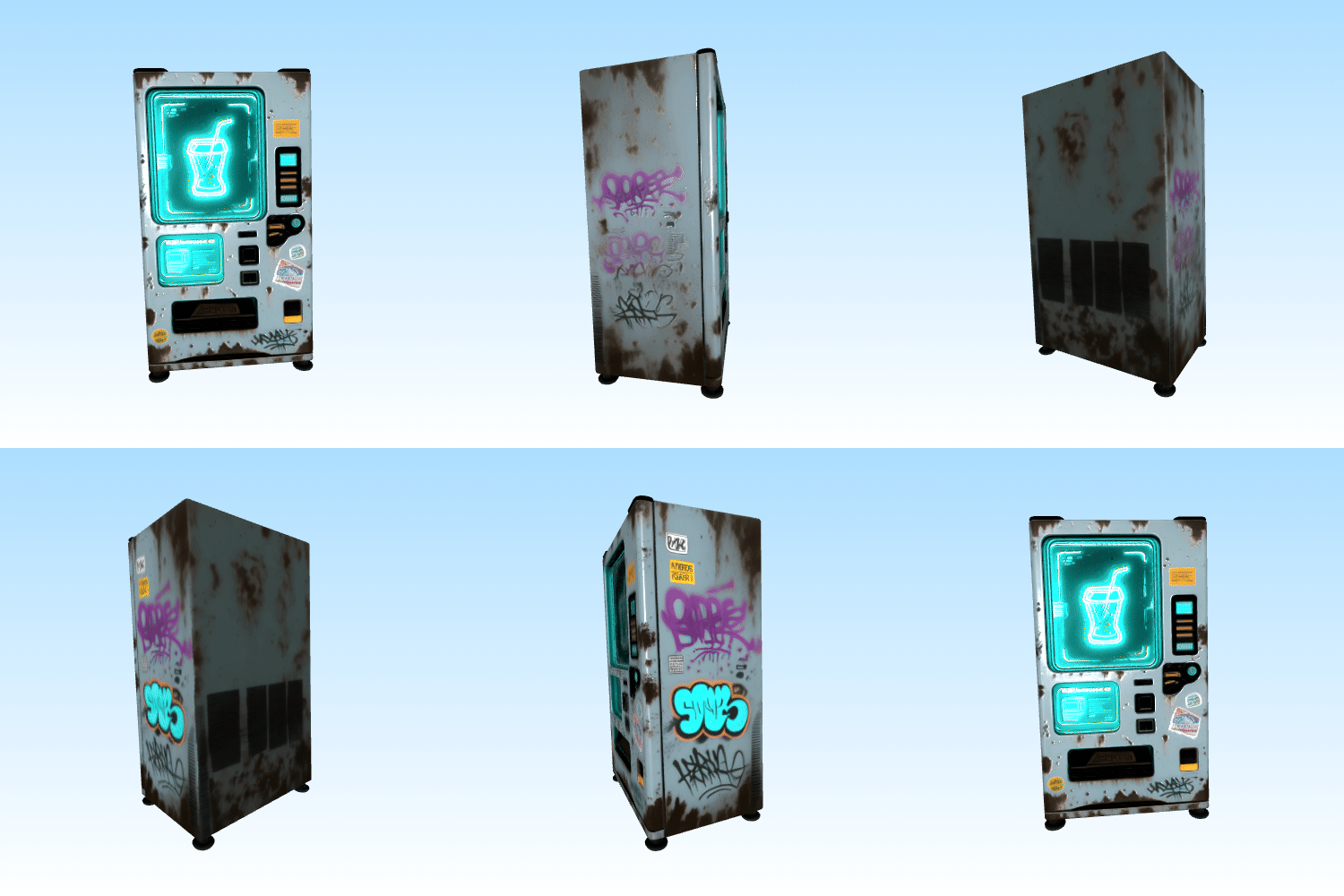
A futuristic holographic beverage vending machine, gritty cyberpunk environment asset, distressed matte polymer with rust spots and street sticker graffiti, glowing neon LED digital interface screen, volumetric light emissive cues, Unreal Engine 5 render style, manifold geometry, watertight mesh
⛩️Traditional Wabi-Sabi Japanese Torii Gate
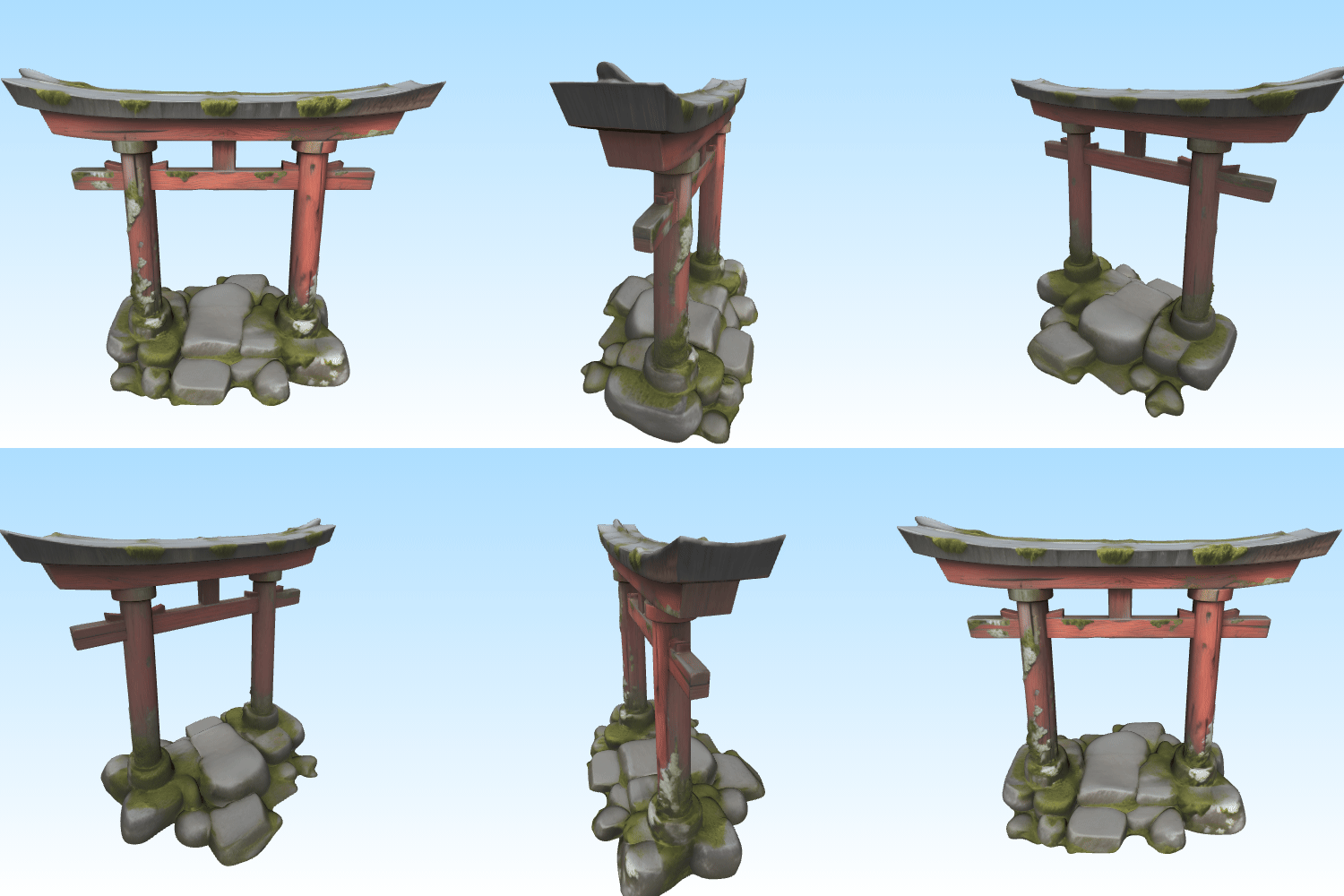
A traditional Japanese torii gate architectural element, Wabi-Sabi aesthetic, photorealistic weathered red cedar wood with deep grain textures, lichen and moss growth at the stone base, volumetric ancient atmosphere, high-resolution textures, manifold structure for architectural visualization
Advanced Technical Jargon: Optimizing Model via Prompts
To move from basic prompting to professional technical execution, you must understand how specific keywords manipulate the 3D mesh directly during the diffusion process:
● Locking the Pose (A-pose / T-pose): When generating characters, humans, or creatures, always append A-pose or T-pose to the end of the prompt. Without this constraint, the engine will generate characters with limbs fused to the torso, making it impossible to rig and animate later in external software.
● The 3D Printing Constraint (Manifold / Watertight): For additive manufacturing, a mesh must be “manifold”—meaning it is completely sealed with zero holes or self-intersecting geometry. Adding manifold geometry, watertight mesh dramatically reduces cleanup and repair time in slicing software.
● Utilizing Precise Material Descriptors: Avoid vague adjectives like beautiful or amazing. Instead, use industry-standard manufacturing terms: brushed aluminum for hardware, matte polymer for modern plastics, or 8K PBR texture pipeline to force the generation of clean, separate metallic and roughness data maps.
Conclusion
Structuring a precise prompt is the foundational step in an efficient AI-driven 3D pipeline. By pairing specific material descriptors with strict topological constraints, developers and designers can significantly reduce cleanup time in secondary software like Blender, Maya, or ZBrush.
Select a formula from the library above, adapt the core subject to fit your project requirements, and test the outputs within your generation workflow. If you are ready to scale your production and integrate these assets directly into your pipeline, you can launch our optimized text to 3d model ai platform to begin generating production-ready meshes instantly.